
You spend a significant portion of your day at your desk. Whether you’re working, studying, or engaging in a hobby, that chair and desk setup is your constant companion. Neglecting the importance of proper chair and desk height is akin to ignoring the foundation of a house; eventually, the structural issues will surface, manifesting as discomfort and detrimental effects on your posture. This article will guide you through understanding why getting these elements right is not merely a matter of comfort, but a crucial investment in your long-term physical well-being.
Your workstation isn’t just a place where you perform tasks; it’s an environment that directly influences your body’s alignment and strain levels. When your chair and desk are incorrectly positioned, your body is forced to adapt in unnatural ways. This constant, subtle mal-adaptation is the breeding ground for a host of problems, from immediate aches and pains to chronic musculoskeletal issues.
The Silent Culprits: Understanding the Risks of Poor Ergonomics
You might dismiss that nagging shoulder ache or the stiffness in your lower back as simply part of a long day. However, these are often the initial signals that your workspace is not serving you well. The cumulative effect of prolonged periods in a poorly adjusted chair and at an inappropriate desk height can lead to a cascade of negative health outcomes.
Musculoskeletal Strain: The Immediate Feedback Loop
Your muscles and joints are designed to operate within a certain range of motion and under specific loads. When your desk is too high, you might find yourself hunching your shoulders to reach the keyboard, leading to tension in your neck and upper back. Conversely, if your desk is too low, you might be forced to lean forward, straining your lumbar spine and experiencing discomfort in your lower back. Your wrists, elbows, and even your feet can also bear the brunt of poor ergonomic alignment, leading to repetitive strain injuries.
Postural Deformities: The Gradual Erosion of Natural Alignment
Over time, your body will attempt to compensate for the misalignments. This can result in the development of poor postural habits that can become deeply ingrained. You might start to develop a forward head posture, where your head juts out in front of your shoulders, putting undue stress on your cervical spine. Rounded shoulders, often referred to as “kyphosis,” can develop as your upper back curves excessively. These postural changes are not just aesthetic concerns; they can impede breathing, affect circulation, and contribute to further pain and discomfort.
Reduced Productivity and Increased Fatigue: The Cognitive and Physical Toll
When you’re experiencing physical discomfort, your ability to focus and concentrate inevitably suffers. You might find yourself fidgeting, shifting positions frequently, and struggling to maintain attention on your tasks. This constant battle against discomfort can lead to increased mental fatigue, making you less efficient and more prone to making errors. The physical strain itself also contributes to overall fatigue, leaving you feeling drained at the end of the day, even if you haven’t engaged in strenuous physical activity.
The Body’s Natural Design: Complementing Your Biology, Not Fighting It
Your body is a marvel of biomechanical engineering. When you provide it with the proper support and alignment, it can function optimally. The goal of proper chair and desk height is to work with your body’s natural design, not against it. This means creating a workspace that allows for neutral spine alignment, relaxed shoulders, and comfortable limb positioning.
Neutral Spine: The Cornerstone of Good Posture
The concept of a “neutral spine” is fundamental to good posture. It refers to the natural curves of your spine – the slight inward curve in your neck (cervical lordosis), the outward curve in your upper back (thoracic kyphosis), and the inward curve in your lower back (lumbar lordosis). When sitting, your goal is to maintain these natural curves, avoiding excessive slouching or arching. A properly adjusted chair and desk height are essential for achieving and maintaining this neutral spine.
Joint Comfort: Minimizing Stress and Strain
Your joints, such as your elbows, wrists, and knees, are designed to move freely and without undue pressure. When your desk is too high or too low, you might be forcing your joints into awkward angles, leading to discomfort and potentially long-term damage. For instance, a desk that’s too high can lead to pronation of your forearms and ulnar deviation of your wrists, while a desk that’s too low can cause you to extend your elbows excessively.
Adjusting your chair and desk height is crucial for maintaining good posture and preventing discomfort during long hours of work. By marking your preferred settings, you can easily return to your optimal ergonomic position, which can enhance productivity and reduce the risk of repetitive strain injuries. For more insights on the importance of ergonomic setups in the workplace, you can read a related article at Productive Patty.
Achieving the Ideal Sitting Position: Your Chair’s Role
Your chair is your primary point of contact with your workstation. Its ability to support your body correctly is paramount. This goes beyond mere cushioning; it’s about providing adjustable features that allow you to customize the height and support to your unique physical dimensions.
The Adjustable Throne: Unpacking Your Chair’s Features
Modern office chairs are often equipped with a range of adjustments designed for ergonomic optimization. Understanding and utilizing these features is crucial for creating a comfortable and supportive seating experience.
Seat Height Adjustment: The Direct Line to Neutrality
The most critical adjustment for your chair is its seat height. The goal is to position your feet flat on the floor with your knees bent at approximately a 90-degree angle. This allows your thighs to be roughly parallel to the floor. If your feet don’t reach the floor, you’ll likely need a footrest or a different chair. If your knees are significantly higher than your hips, your chair is too high.
The 90-Degree Rule of Thumb for Knees
Imagine your knees as hinges. When you’re sitting correctly, these hinges should be at about a right angle. This allows for good circulation in your legs and prevents pressure on the back of your knees, which can restrict blood flow.
Ensuring Foot Grounding
Your feet are your base support. They should be able to rest firmly on the floor without your toes lifting or your heels dangling. If, even with the seat height at its lowest setting, your feet don’t touch the floor, this signifies a significant issue that needs addressing.
Lumbar Support: The Spine’s Best Friend
The natural inward curve of your lower back (lumbar lordosis) needs adequate support. Many ergonomic chairs feature adjustable lumbar support, which can be moved up, down, and in or out to conform to the curve of your spine. This support prevents slouching and helps maintain the neutral spine alignment, reducing strain on your lower back muscles.
Finding Your Spine’s Curve
Experiment with the lumbar support. It should feel like it’s gently pressing into the natural curve of your lower back, providing a feeling of support rather than discomfort or pressure. You shouldn’t feel like you’re being pushed forward or backward.
The Impact of Insufficient Lumbar Support
Without proper lumbar support, your body will naturally try to compensate by either slouching or arching your back excessively to find a comfortable resting position. Both of these compensations lead to increased stress on your spinal discs and surrounding muscles.
Armrest Adjustment: Relieving Shoulder and Neck Tension
Armrests, when properly adjusted, can take the weight off your shoulders and neck. They should be set at a height that allows your shoulders to remain relaxed and your forearms to rest comfortably, with your elbows bent at approximately a 90-degree angle. If your armrests are too high, you’ll likely find yourself shrugging your shoulders, and if they’re too low, you won’t get the intended benefit.
The “Relaxed Shoulder” Test
After you’ve adjusted your armrests, consciously try to relax your shoulders. If your shoulders are naturally down and back, with no feeling of tension, your armrests are likely at the correct height. If you feel your shoulders creeping up towards your ears, you need to adjust them lower.
Forearm Support, Not Elbow Strain
The purpose of armrests is to provide support for your forearms, allowing your wrists to remain in a neutral position while typing. They are not meant to be used as levers to prop yourself up.
The Desk: Your Work Surface’s Crucial Role
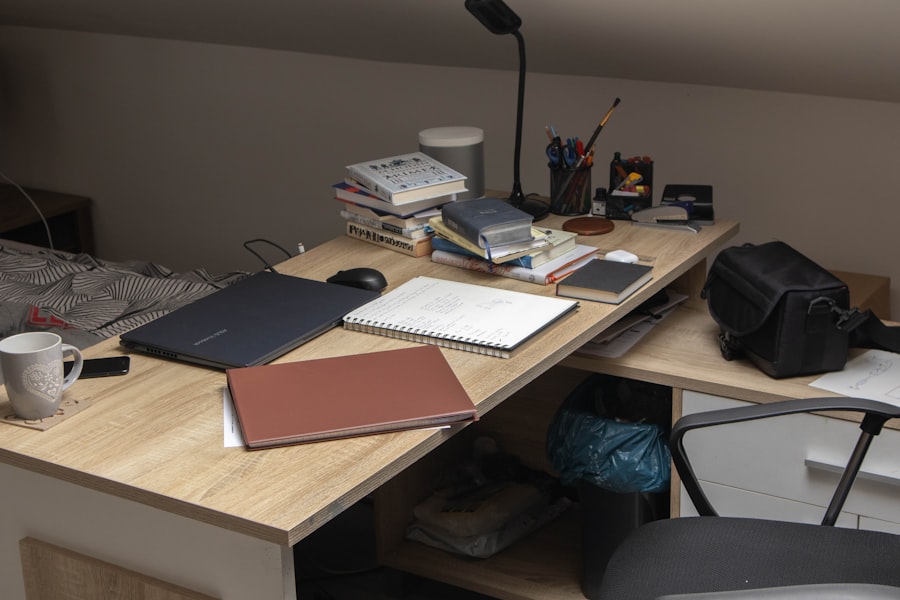
While your chair provides support, your desk dictates the height of your work surface, influencing how you interact with your keyboard, mouse, and other essential tools. The correct desk height ensures that your arms and wrists are in a comfortable and neutral position.
The Right Height for Your Tasks: A Personalized Approach
Just as with your chair, there’s no one-size-fits-all desk height. The ideal height is one that allows you to maintain good posture while performing your typical tasks at your workstation.
The “Elbow Bend” Metric: A Simple Calibration
A common and effective way to determine the correct desk height is to use your elbow bend as a guide. With your chair adjusted to the ideal height, sit with your arms relaxed at your sides. Then, bend your elbows to approximately a 90-degree angle. Your hands should naturally fall at a height that allows you to comfortably rest your wrists on the desk surface or keyboard.
The 90-Degree Elbow to Keyboard Relationship
When your arms are resting on your desk or keyboard, your elbows should form roughly a 90-degree angle. This means your forearms will be parallel to the floor. This keeps pressure off your wrists and allows for natural movement of your fingers and hands.
When Your Desk is Too High or Too Low
If your desk is too high, you’ll likely find yourself having to raise your shoulders to reach the keyboard, leading to neck and shoulder strain. If your desk is too low, you might have to hunch forward, straining your lower back and wrists.
Keyboard and Mouse Placement: Integrating Them into the Equation
The height of your desk directly impacts the positioning of your keyboard and mouse. Ideally, your keyboard should be at a height that allows your wrists to remain straight and neutral, not bent up or down. This is crucial for preventing carpal tunnel syndrome and other repetitive strain injuries.
Neutral Wrists = Happy Wrists
Your wrists are prone to injury when they are bent at extreme angles for extended periods. A desk that is too high or too low will force your wrists into these unnatural positions. The goal is to keep them as flat and straight as possible.
The Keyboard Tray Advantage
For desks that cannot be adjusted to the ideal height, a keyboard tray can be a valuable accessory. It allows you to lower your keyboard and mouse independently of the main desk surface, ensuring that your wrists remain in a neutral, comfortable position.
Desk Types and Their Ergonomic Considerations
Different types of desks come with their own set of ergonomic challenges and solutions. Understanding these can help you make informed choices about your workstation.
Fixed-Height Desks: Identifying Limitations and Solutions
Many older or simpler desks are of a fixed height. This means you’ll need to adjust your chair and potentially use accessories like footrests or keyboard trays to achieve a comfortable setup. If a fixed-height desk is significantly too high or too low for your body, it might be worth considering a replacement.
The Accessory Approach: Adapting Your Setup
When faced with a fixed-height desk, don’t despair. A good quality adjustable footrest can help raise your seating position if the desk is too low. Conversely, if the desk is too high, a keyboard tray or even risers placed under the desk legs (if stable and safe) can help bring it down to an appropriate level.
When Replacement is the Best Option
However, if a fixed-height desk forces you into consistently awkward and uncomfortable positions, it’s a signal that it’s actively harming your posture and well-being. In such cases, investing in an adjustable desk is a wise decision.
Adjustable Height Desks (Sit-Stand Desks): The Ultimate Flexibility
Adjustable height desks, often referred to as sit-stand desks, offer the most flexibility. They allow you to easily change your desk height throughout the day, promoting movement and reducing prolonged sedentary periods. This is considered the gold standard for ergonomic workstations.
The Benefits of Movement: Breaking Up Sedentary Habits
The ability to switch between sitting and standing is incredibly beneficial. It encourages circulation, reduces the strain on your back and legs, and can even boost your energy levels and cognitive function.
Finding Your Standing Sweet Spot
When standing, your desk height should be such that your elbows are at roughly a 90-degree angle, just as when sitting. Your shoulders should remain relaxed, and your wrists in a neutral position while typing.
Beyond the Basics: Fine-Tuning for Optimal Comfort
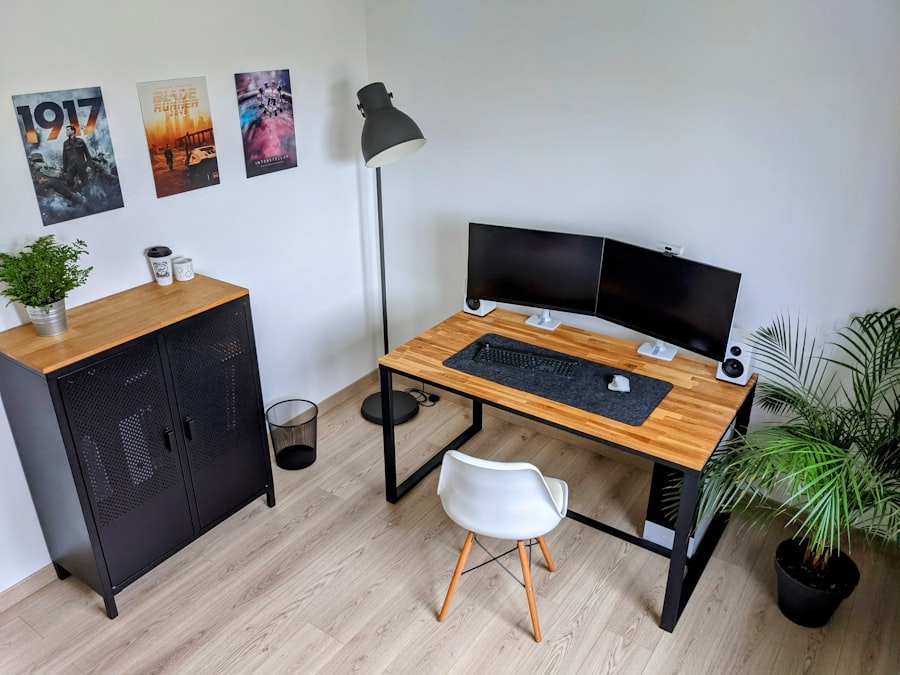
Once you have the fundamental chair and desk heights dialed in, there are several other adjustments and considerations that can further enhance your workspace ergonomics and prevent discomfort.
Monitor Placement: The Unsung Hero of Neck Health
Your monitor’s position is nearly as important as your chair and desk height for maintaining good posture and preventing neck pain. Looking down or up at your screen for extended periods can lead to significant strain.
Eye Level is Key: Aligning with Your Gaze
The top of your monitor screen should be at or slightly below your eye level when you are sitting upright. This alignment allows you to view the screen comfortably without needing to tilt your head up or down.
The “Nodding” Analogy
Imagine you’re performing a very slight, almost imperceptible nod. Your gaze should naturally fall on the screen at this angle. If you’re craning your neck up to see the top of the screen, it’s too low. If you’re looking down at an angle, it’s too high.
Preventing Forward Head Posture
Proper monitor height directly combats forward head posture. By forcing you to keep your head and neck in a more neutral alignment, it reduces the pressure on your cervical spine and the muscles in your upper back and shoulders.
Distance from the Screen: Finding Your Comfortable Zone
The ideal distance from your monitor is generally about an arm’s length away. This ensures that you don’t have to strain your eyes to see the screen and that your neck isn’t in an overly extended or flexed position to focus.
The “Arm’s Length” Rule
Sit back in your chair and extend your arm straight out. The tip of your fingers should be able to comfortably reach the screen. This is a good general guideline, but adjust based on your visual comfort.
Reducing Eye Strain and Headaches
When your monitor is too close, you’re more likely to experience eye strain, dry eyes, and headaches. Being too far away can lead to leaning forward, which, as we’ve discussed, creates postural problems.
Keyboard and Mouse Ergonomics: Preventing Repetitive Strain
While desk height plays a crucial role, the way you position your keyboard and mouse is equally important for preventing discomfort and injury.
The Ergonomic Keyboard: A Smart Investment
Ergonomic keyboards are designed to promote a more natural hand and wrist position. Split keyboards, for example, allow you to angle each half outwards, reducing ulnar deviation (bending your wrists outwards). Curved or tented keyboards can also offer improved comfort.
Natural Wrist Angle Over Flat Typing
Traditional flat keyboards can force your wrists into pronation and ulnar deviation. Ergonomic designs aim to bring your wrists back to a more neutral, straight position, reducing strain on tendons and nerves.
Typing Without Tension
The goal is to be able to type with relaxed shoulders and wrists, with minimal effort. An ergonomic keyboard can significantly contribute to this feeling of effortlessness.
The Ergonomic Mouse: Supporting Your Hand and Wrist
Similar to keyboards, ergonomic mice are designed to fit the natural contours of your hand, reducing the need for awkward gripping and promoting a neutral wrist posture. Vertical mice, for instance, keep your hand in a handshake position, which can be more comfortable for some individuals.
The “Handshake” Position for Some
A vertical mouse can be particularly beneficial for individuals who experience discomfort with traditional mice. This posture can alleviate pressure on the median nerve, which is often implicated in carpal tunnel syndrome.
Avoiding Excessive Gripping
When using a standard mouse, you often have to grip it tightly to control movement. Ergonomic mice are designed to be cradled by your hand, requiring less force and reducing muscle fatigue.
Adjusting your chair and desk height is crucial for maintaining good posture and preventing discomfort during long hours of work. By marking your preferred settings, you can easily return to your optimal ergonomic position, which can enhance productivity and reduce the risk of injury. For more insights on creating a comfortable workspace, check out this informative article on ergonomic setups. Taking the time to customize your workspace can lead to significant improvements in your overall well-being and efficiency.
Maintaining Your Ergonomic Investment: Habits and Awareness
| Reasons to Mark Your Chair and Desk Height |
|---|
| 1. Improves posture and reduces back pain |
| 2. Enhances comfort and productivity |
| 3. Helps maintain proper ergonomic alignment |
| 4. Reduces strain on neck and shoulders |
| 5. Promotes better circulation and reduces fatigue |
Achieving the ideal chair and desk height is only the first step. Developing good habits and maintaining awareness of your posture throughout the day is crucial for long-term benefits.
The Power of Breaks: Respite for Your Body
Even with a perfectly set up workstation, prolonged static postures can be detrimental. Regular breaks are essential for allowing your muscles to rest and re-energize.
Micro-Breaks: Tiny Steps for Big Impact
Even 30-60 second breaks every 20-30 minutes can make a difference. Stand up, stretch, walk a few steps. These micro-breaks prevent stiffness and re-engage your circulation.
The 20-20-20 Rule for Eyes
For your eyes, try the 20-20-20 rule: every 20 minutes, look at something 20 feet away for at least 20 seconds. This helps to reduce eye strain.
Re-Setting Your Posture
During breaks, consciously re-align your posture. This is a good opportunity to check if you’ve unconsciously started to slouch or adopt any poor habits.
Longer Breaks: Deeper Rejuvenation
Taking longer breaks, such as a brief walk away from your desk during lunch or a mid-afternoon stretch session, allows for more significant muscle recovery and mental refresh.
The Benefits of Movement Beyond the Desk
Incorporating some form of physical activity outside of your work hours, like walking, swimming, or yoga, will further strengthen your body and make it more resilient to the demands of desk work.
Listening to Your Body: The Ultimate Ergonomic Indicator
Your body will tell you when something is wrong. Pain, stiffness, and discomfort are not to be ignored. They are signals that your current setup or habits are not working.
Recognizing the Early Warning Signs
Don’t wait until you’re experiencing severe pain. Be mindful of subtle cues like:
- A dull ache in your neck or shoulders after prolonged work.
- Stiffness in your lower back that takes time to ease.
- Tingling or numbness in your hands or wrists.
- Headaches that seem to emanate from your neck or eyes.
Making Adjustments Proactively
If you notice any of these signs, take a moment to assess your workstation. Is your chair still at the right height? Is your monitor in the correct position? Are you taking enough breaks? Making small, proactive adjustments can prevent minor discomfort from escalating into chronic issues.
Creating a Holistic Ergonomic Environment: Beyond Height
While chair and desk height are foundational, remember that ergonomics is a holistic concept. Consider factors like:
- Proper lighting to avoid eye strain.
- Minimizing glare on your screen.
- Ensuring your feet are supported (using a footrest if needed).
- Keeping frequently used items within easy reach to avoid overstretching.
By prioritizing proper chair and desk height, you are investing in your physical comfort, your long-term health, and your overall productivity. Don’t underestimate the power of a well-adjusted workspace. It’s time to take control of your comfort and cultivate a healthier, more supportive way to work.
FAQs
1. Why is it important to mark your chair and desk height?
It is important to mark your chair and desk height to ensure proper ergonomic alignment, which can help prevent discomfort, pain, and injury associated with poor posture and repetitive strain.
2. How can marking chair and desk height improve ergonomics?
By marking your chair and desk height, you can easily return to the correct settings after adjusting them, maintaining proper alignment of your body to reduce strain on muscles, tendons, and ligaments.
3. What are the benefits of marking chair and desk height?
Marking chair and desk height can lead to improved comfort, reduced risk of musculoskeletal disorders, increased productivity, and better overall well-being by promoting proper posture and reducing physical strain.
4. What are the recommended ergonomic guidelines for chair and desk height?
The recommended ergonomic guidelines for chair and desk height suggest that the chair should allow for feet to rest flat on the floor, knees to be at a 90-degree angle, and the desk height to be at elbow level when seated.
5. How can one mark their chair and desk height for easy adjustment?
One can mark their chair and desk height by using tape, stickers, or labels to indicate the correct settings for easy reference. Additionally, adjustable ergonomic furniture with preset markings can also be utilized for quick and accurate adjustments.