
In today’s fast-paced digital landscape, maximizing productivity is essential for both personal and professional success. As a Mac user, you have access to a plethora of software designed to enhance your efficiency and streamline your workflow. Whether you are a student juggling assignments, a professional managing multiple projects, or a creative individual seeking to bring your ideas to life, the right productivity software can make all the difference.
This article will explore various categories of productivity software tailored specifically for Mac users, helping you identify the tools that best suit your needs. The Mac ecosystem is renowned for its user-friendly interface and seamless integration across devices. This makes it an ideal platform for productivity software that not only enhances your capabilities but also complements your existing workflows.
From organizational tools to time management apps, the options available can empower you to work smarter, not harder. By leveraging these tools, you can optimize your daily tasks, improve collaboration with others, and ultimately achieve your goals more efficiently.
Key Takeaways
- Mac productivity software offers a wide range of tools to help users stay organized, manage their time effectively, and collaborate with others.
- Top productivity software for Mac users includes popular tools like Microsoft Office, Google Workspace, and Apple iWork.
- Organizational tools for Mac users include apps like Evernote, Trello, and Todoist, which help users keep track of tasks and projects.
- Time management apps for Mac, such as Toggl and RescueTime, help users track their time and improve productivity.
- Note-taking and document management software for Mac, like Notion and Bear, provide users with tools to capture and organize their thoughts and documents.
Top Productivity Software for Mac Users
When it comes to productivity software for Mac users, several standout applications have gained popularity due to their robust features and user-friendly design. One of the most widely recognized is Microsoft Office 365, which includes essential applications like Word, Excel, and PowerPoint. These tools are staples in many workplaces and educational institutions, providing you with the ability to create documents, analyze data, and deliver presentations with ease.
The cloud-based nature of Office 365 also allows for real-time collaboration, making it easier to work with colleagues or classmates on shared projects. Another noteworthy option is Apple’s own suite of productivity applications, including Pages, Numbers, and Keynote. These tools are designed specifically for Mac users and offer a seamless experience across devices.
With intuitive interfaces and powerful features, they allow you to create visually appealing documents and presentations without the steep learning curve often associated with other software. Additionally, the integration with iCloud ensures that your work is accessible from any device, providing flexibility and convenience.
Organizational Tools for Mac Users

Staying organized is crucial for maintaining productivity, and there are several exceptional organizational tools available for Mac users. One popular choice is Todoist, a task management application that helps you keep track of your to-do lists and deadlines. With its clean interface and powerful features, Todoist allows you to categorize tasks, set priorities, and even collaborate with others on shared projects.
The ability to integrate with other applications like Google Calendar further enhances its functionality, ensuring that you never miss an important deadline. Another excellent organizational tool is Notion, which combines note-taking, task management, and database functionalities into one versatile platform. Notion allows you to create customized workspaces tailored to your specific needs, whether you’re managing a project or compiling research notes.
Its flexibility makes it suitable for both personal use and team collaboration, enabling you to organize information in a way that makes sense to you. With templates available for various use cases, you can quickly set up your workspace and start organizing your tasks and ideas effectively.
Time Management Apps for Mac
| App Name | Price | Platform | Features |
|---|---|---|---|
| Todoist | Free / 3/month | Mac, iOS, Android | Task management, reminders, collaboration |
| OmniFocus | 39.99 | Mac, iOS | Task organization, project planning, GTD support |
| Focus@Will | 9.95/month | Mac, iOS, Android | Music for productivity, focus timer, personalized playlists |
| RescueTime | Free / 6/month | Mac, iOS, Android | Time tracking, website blocking, productivity reports |
Effective time management is key to enhancing productivity, and there are several apps designed specifically for this purpose on the Mac platform. One standout option is RescueTime, which tracks how you spend your time on your computer. By providing detailed reports on your activities, RescueTime helps you identify time-wasting habits and areas where you can improve your efficiency.
This self-awareness can be transformative, allowing you to make informed decisions about how to allocate your time more effectively. Another valuable time management tool is Focus@Will, which combines neuroscience with music to help you concentrate better while working. The app offers a variety of music channels designed to enhance focus and minimize distractions.
By creating an optimal auditory environment for productivity, Focus@Will can help you maintain concentration during long work sessions or while tackling complex tasks. This unique approach to time management can be particularly beneficial for those who struggle with maintaining focus in a busy environment.
Note-taking and Document Management Software for Mac
For many Mac users, effective note-taking and document management are essential components of their productivity toolkit. One of the most popular applications in this category is Evernote, which allows you to capture ideas, organize notes, and store documents all in one place. With its powerful search functionality and ability to sync across devices, Evernote ensures that your notes are always accessible when you need them.
You can also create notebooks for different projects or subjects, making it easy to keep your information organized. Another noteworthy option is Bear, a minimalist note-taking app that emphasizes simplicity and elegance.
The app also supports Markdown formatting, making it easy to create visually appealing notes without extensive formatting work. For those who appreciate a clean design and straightforward functionality, Bear is an excellent choice for managing notes and documents on a Mac.
Communication and Collaboration Tools for Mac Users
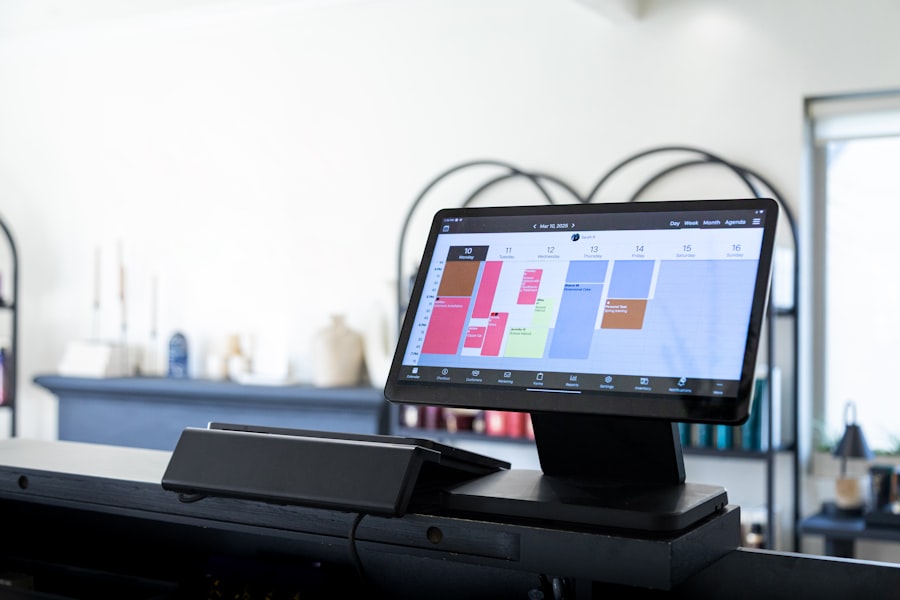
In an increasingly connected world, effective communication and collaboration are vital for productivity. For Mac users, Slack has emerged as a leading platform for team communication. This messaging app allows you to create channels for different projects or topics, facilitating organized discussions among team members.
With features like file sharing and integration with other productivity tools, Slack streamlines communication and helps keep everyone on the same page. Another powerful collaboration tool is Microsoft Teams, which combines chat functionality with video conferencing and file sharing capabilities. This all-in-one platform enables teams to collaborate in real-time, whether they are working remotely or in the same office.
The integration with Microsoft Office applications further enhances its utility, allowing you to collaborate on documents directly within the app. For teams looking for a comprehensive solution to communication and collaboration challenges, Microsoft Teams is an excellent choice.
Project Management Software for Mac
Managing projects effectively requires the right tools, and there are several project management software options available for Mac users that can help streamline this process. Trello is one such tool that utilizes a visual board system to help you organize tasks and track progress. With its drag-and-drop interface, Trello makes it easy to move tasks through different stages of completion.
You can also assign tasks to team members and set deadlines, ensuring that everyone stays accountable throughout the project lifecycle. Asana is another popular project management tool that offers a more structured approach to task management. With features like timelines, task dependencies, and project milestones, Asana allows you to plan projects in detail while keeping everyone informed about their responsibilities.
The ability to create custom workflows tailored to your team’s needs makes Asana a versatile option for managing projects of any size.
Automation and Workflow Tools for Mac Users
Automation can significantly enhance productivity by reducing repetitive tasks and streamlining workflows. For Mac users looking to automate their processes, Automator is a built-in tool that allows you to create custom workflows without any coding knowledge. With Automator, you can set up actions that perform multiple tasks with a single click—whether it’s renaming files in bulk or resizing images for a project.
Another powerful automation tool is Zapier, which connects different applications and automates workflows between them. For instance, you can set up Zaps that automatically save email attachments to cloud storage or create tasks in your project management software based on incoming emails. By automating these processes, you free up valuable time that can be better spent on more critical tasks.
Security and Privacy Software for Mac
As a Mac user, ensuring the security and privacy of your data is paramount in today’s digital age. One essential tool in this regard is Malwarebytes, which provides robust protection against malware and other online threats. With its real-time scanning capabilities and regular updates, Malwarebytes helps safeguard your system from potential vulnerabilities while allowing you to browse the web with confidence.
Additionally, using a password manager like 1Password can significantly enhance your online security by helping you create strong passwords and store them securely. 1Password encrypts your data so that only you have access to it while also offering features like password generation and breach monitoring. By utilizing these security tools, you can protect your sensitive information from unauthorized access while maintaining peace of mind.
Creative and Design Software for Mac Users
For those in creative fields or anyone looking to express their artistic side, there are numerous design software options available for Mac users. Adobe Creative Cloud remains one of the most comprehensive suites of creative applications available today. With programs like Photoshop for image editing and Illustrator for vector graphics design, Adobe provides powerful tools that cater to various creative needs.
Another excellent option is Affinity Designer, which offers a more affordable alternative to Adobe’s offerings without sacrificing quality or functionality. Affinity Designer is particularly popular among graphic designers due to its intuitive interface and robust feature set that allows for precise vector editing. Whether you’re creating marketing materials or designing logos, Affinity Designer provides the tools necessary to bring your creative visions to life.
Conclusion and Final Recommendations for Mac Productivity Software
In conclusion, the right productivity software can significantly enhance your efficiency as a Mac user by streamlining tasks and improving organization across various aspects of your work life. From top-tier applications like Microsoft Office 365 and Notion to specialized tools such as Trello for project management or Malwarebytes for security, there are countless options available tailored specifically for your needs. As you explore these tools, consider what aspects of your workflow could benefit from improvement—whether it’s better organization through Todoist or enhanced collaboration via Slack—and choose software that aligns with those goals.
By investing time in selecting the right productivity software for your unique requirements, you’ll be well on your way to achieving greater efficiency and success in all your endeavors as a Mac user.
If you’re on the hunt for the best productivity software for Mac, you might find it helpful to explore a related article that delves into various tools and tips to enhance your efficiency. One such resource is available on Productive Patty’s website, which offers a wealth of information on optimizing your workflow. For a deeper dive into productivity strategies and software recommendations, check out this article on Productive Patty. This site provides valuable insights and reviews that can help you make informed decisions about the tools that best suit your needs.
Reclaim 70% Mental Energy with THIS Hack
FAQs
What is productivity software for Mac?
Productivity software for Mac refers to applications and tools designed to help users increase their efficiency and output. These can include task management, note-taking, time tracking, project management, and other tools to streamline work processes.
What are some popular productivity software for Mac?
Some popular productivity software for Mac includes Microsoft Office 365, Apple iWork, Evernote, Todoist, Trello, Asana, and Slack. These tools offer a range of features to help users manage tasks, collaborate with teams, and organize their work.
What features should I look for in productivity software for Mac?
When choosing productivity software for Mac, it’s important to consider features such as task management, calendar integration, file sharing, collaboration tools, note-taking capabilities, and compatibility with other devices and platforms. Additionally, user-friendly interface and customer support are also important factors to consider.
How can productivity software for Mac help me?
Productivity software for Mac can help users stay organized, manage their time effectively, collaborate with team members, and streamline their work processes. These tools can also help users prioritize tasks, set deadlines, and track their progress, ultimately leading to increased efficiency and output.
Are there free productivity software options for Mac?
Yes, there are several free productivity software options for Mac, such as Google Workspace (formerly G Suite), Apple iWork, Evernote Basic, Trello, and Todoist. These free options offer basic features and can be a good starting point for users looking to improve their productivity without investing in paid software.