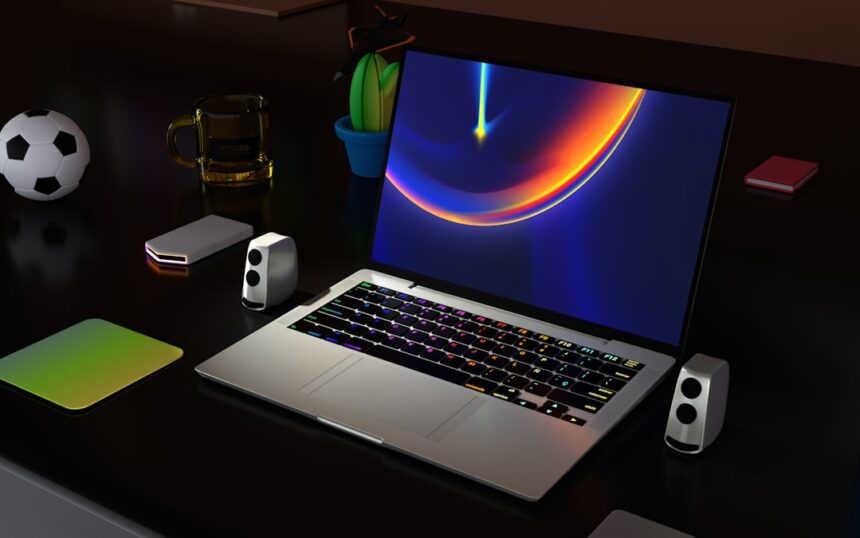
In today’s fast-paced digital world, the demand for a laptop that seamlessly blends productivity and gaming capabilities has never been higher. You may find yourself juggling work tasks, video calls, and gaming sessions, all on the same device. The ultimate productivity and gaming laptop is designed to cater to these diverse needs, providing you with the power and versatility to excel in both realms.
Whether you’re a professional who needs to run demanding software or a gamer looking for an immersive experience, the right laptop can make all the difference. As you embark on your quest for the perfect laptop, it’s essential to understand what features and specifications will best serve your unique requirements. The ideal device should not only handle intensive applications but also deliver stunning graphics and smooth gameplay.
In this article, we will explore the key features to look for, the best brands and models available, and tips for optimizing your laptop for both productivity and gaming. By the end, you’ll be equipped with the knowledge to make an informed decision that aligns with your lifestyle.
Key Takeaways
- Ultimate productivity and gaming laptops are designed to provide high performance for both work and play, making them versatile and powerful devices.
- Key features to look for in a productivity and gaming laptop include a powerful processor, high-quality graphics card, ample storage and memory, and a high-resolution display with excellent audio quality.
- Some of the best brands and models for ultimate productivity and gaming laptops include ASUS ROG Zephyrus, Razer Blade, MSI GS66 Stealth, Dell XPS 15, and HP Omen.
- When choosing the right processor and graphics card for gaming and productivity, consider factors such as clock speed, number of cores, and VRAM for smooth multitasking and gaming performance.
- Display and audio quality are important for gaming and productivity, so look for laptops with high-resolution screens, fast refresh rates, and immersive audio technology for an enhanced experience.
- To maximize battery life on a productivity and gaming laptop, adjust power settings, disable unnecessary background apps, and consider investing in a high-capacity battery or portable charger.
- Essential accessories for the ultimate productivity and gaming laptop setup include a gaming mouse, mechanical keyboard, external monitor, cooling pad, and noise-cancelling headphones for an optimal experience.
- Optimizing storage and memory for productivity and gaming needs involves choosing a fast SSD for storage and upgrading RAM for seamless multitasking and gaming performance.
- Customization and personalization options for productivity and gaming laptops include RGB lighting, customizable keyboard layouts, and software for fine-tuning performance and aesthetics.
- Setting up the ultimate productivity and gaming laptop for success involves installing essential software, organizing files, and customizing settings for a personalized and efficient workflow.
- Maintenance and care tips for keeping your productivity and gaming laptop in top condition include regular cleaning, updating drivers and software, and avoiding extreme temperatures and physical damage.
Key Features to Look for in a Productivity and Gaming Laptop
When searching for a laptop that excels in both productivity and gaming, several key features should be at the forefront of your mind. First and foremost, consider the processor. A powerful CPU is crucial for multitasking and running demanding applications smoothly.
Look for laptops equipped with the latest Intel Core i7 or AMD Ryzen 7 processors, as these will provide the performance you need for both work and play. Another critical feature is the graphics card. A dedicated GPU is essential for gaming, as it significantly enhances visual performance and allows you to enjoy high-resolution graphics without lag.
NVIDIA’s GeForce RTX series or AMD’s Radeon RX series are excellent choices that can handle modern games while also supporting creative tasks like video editing or graphic design. Additionally, ensure that the laptop has sufficient RAM—at least 16GB is recommended—to facilitate smooth multitasking and efficient performance across various applications.
Best Brands and Models for Ultimate Productivity and Gaming
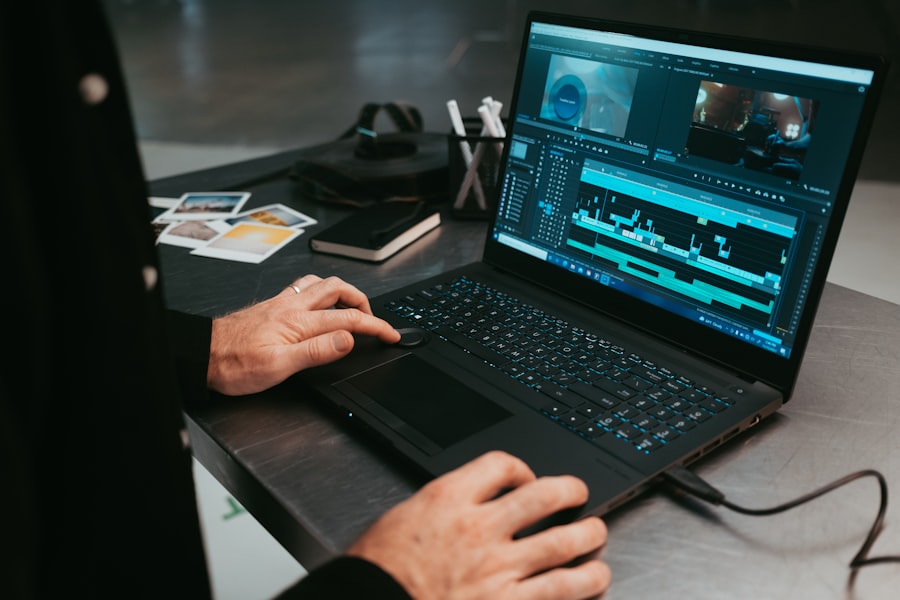
As you navigate the landscape of productivity and gaming laptops, certain brands stand out for their reliability and performance. Dell’s XPS series is renowned for its sleek design and powerful specifications, making it a favorite among professionals and gamers alike. The XPS 15, for instance, combines a stunning 4K display with robust processing power, making it ideal for both work-related tasks and immersive gaming experiences.
Another brand worth considering is ASUS, particularly their ROG (Republic of Gamers) line. The ASUS ROG Zephyrus series offers a perfect blend of portability and performance, featuring high-refresh-rate displays and powerful GPUs. This makes them suitable not only for gaming but also for creative professionals who require high-quality visuals.
Additionally, MSI is known for its gaming laptops that also cater to productivity needs, such as the GS66 Stealth, which boasts a sleek design and impressive battery life.
How to Choose the Right Processor and Graphics Card for Gaming and Productivity
| Processor | Graphics Card | Gaming Performance | Productivity Performance |
|---|---|---|---|
| Intel Core i5-10600K | NVIDIA GeForce RTX 3060 | High FPS, smooth gameplay | Fast rendering, multitasking |
| AMD Ryzen 7 5800X | AMD Radeon RX 6700 XT | Excellent gaming experience | Efficient video editing, coding |
| Intel Core i9-10900K | NVIDIA GeForce RTX 3080 | Top-tier gaming performance | Seamless 3D modeling, design |
Selecting the right processor and graphics card is crucial in ensuring your laptop meets both gaming and productivity demands. When it comes to processors, you should prioritize those with multiple cores and threads, as they can handle simultaneous tasks more efficiently. For instance, Intel’s Core i9 or AMD’s Ryzen 9 processors are excellent choices if you require top-tier performance for resource-intensive applications like video editing or 3D rendering.
In terms of graphics cards, consider your gaming preferences. If you enjoy playing the latest AAA titles at high settings, opt for a laptop with an NVIDIA GeForce RTX 3060 or higher. These GPUs not only provide exceptional gaming performance but also support advanced features like ray tracing, enhancing your overall gaming experience.
On the other hand, if your primary focus is on productivity tasks such as graphic design or video editing, a mid-range GPU like the NVIDIA GTX 1660 Ti may suffice while still offering decent gaming capabilities.
Importance of Display and Audio Quality for Gaming and Productivity
The display quality of your laptop plays a significant role in both productivity and gaming experiences. A high-resolution screen enhances clarity and detail, making it easier to work on intricate projects or enjoy visually stunning games.
A laptop with high-quality speakers can significantly enhance your experience by delivering clear sound effects and rich audio during gameplay or while watching movies. Additionally, consider models that support advanced audio technologies like Dolby Atmos or DTS:X for an even more immersive experience.
Tips for Maximizing Battery Life on a Productivity and Gaming Laptop

While performance is essential in a productivity and gaming laptop, battery life is equally important—especially if you’re often on the go. To maximize battery life, start by adjusting your power settings. Most laptops come with power-saving modes that can help extend battery life by reducing performance when full power isn’t necessary.
Another effective strategy is to manage your screen brightness. Lowering your display brightness can significantly conserve battery power without sacrificing usability. Additionally, consider closing unnecessary applications running in the background that may drain resources.
Utilizing features like airplane mode when you don’t need internet access can also help prolong battery life during extended use.
Essential Accessories for the Ultimate Productivity and Gaming Laptop Setup
To enhance your productivity and gaming experience further, consider investing in essential accessories that complement your laptop setup. A high-quality external mouse can improve precision during gaming sessions while also making navigation more comfortable during work tasks. Look for ergonomic designs that fit comfortably in your hand to reduce strain during long hours of use.
A mechanical keyboard can also elevate your typing experience significantly. Mechanical keyboards offer tactile feedback that many users find satisfying, making them ideal for both gaming and typing-intensive tasks. Additionally, consider investing in a laptop stand to improve ergonomics by raising your screen to eye level, which can help reduce neck strain during extended use.
Optimizing Storage and Memory for Productivity and Gaming Needs
Storage capacity is another critical factor when choosing a productivity and gaming laptop. Solid State Drives (SSDs) are highly recommended due to their speed advantages over traditional Hard Disk Drives (HDDs). An SSD not only improves boot times but also enhances loading times for games and applications, providing a smoother overall experience.
When it comes to memory (RAM), ensure that your laptop has enough capacity to handle multitasking efficiently. For most users, 16GB of RAM is sufficient; however, if you frequently work with large files or run multiple demanding applications simultaneously, consider upgrading to 32GB or more. This will ensure that your laptop remains responsive even under heavy workloads.
Customization and Personalization Options for Productivity and Gaming Laptops
One of the exciting aspects of choosing a productivity and gaming laptop is the opportunity for customization and personalization. Many manufacturers offer options to configure your laptop according to your specific needs—whether it’s upgrading components like RAM or storage or selecting unique aesthetic features such as color schemes or backlit keyboards. Personalization doesn’t stop at hardware; software customization can also enhance your experience.
Consider installing productivity tools or gaming software that aligns with your workflow or gaming style. Customizing keyboard shortcuts or creating profiles for different applications can streamline your tasks and improve efficiency.
Setting Up the Ultimate Productivity and Gaming Laptop for Success
Once you’ve selected your ideal productivity and gaming laptop, setting it up correctly is crucial for maximizing its potential. Start by installing essential software that you’ll need for work or play—this includes productivity suites like Microsoft Office or creative software like Adobe Creative Cloud. Organizing your desktop can also enhance efficiency; create folders for different projects or categories to keep everything easily accessible.
Additionally, consider setting up cloud storage solutions to ensure that your files are backed up securely while allowing easy access from multiple devices.
Maintenance and Care Tips for Keeping Your Productivity and Gaming Laptop in Top Condition
To ensure that your productivity and gaming laptop remains in top condition over time, regular maintenance is key. Start by keeping your device clean; dust accumulation can lead to overheating issues that affect performance. Use compressed air to clean out vents and fans periodically.
Software maintenance is equally important; regularly update your operating system and drivers to ensure optimal performance and security. Running disk cleanup tools can help free up space on your SSD while improving overall system responsiveness. By following these maintenance tips, you can extend the lifespan of your laptop while ensuring it continues to meet your productivity and gaming needs effectively.
In conclusion, finding the ultimate productivity and gaming laptop requires careful consideration of various factors—from key features like processors and graphics cards to essential accessories that enhance your setup. By understanding what to look for and how to optimize your device effectively, you can create an environment that fosters both work efficiency and immersive gaming experiences. With the right knowledge at hand, you’re well on your way to making an informed decision that will serve you well in both realms.
If you’re in the market for a laptop that excels in both productivity and gaming, you might want to check out an insightful article on Productive Patty’s website. This article delves into the top laptops that strike the perfect balance between work efficiency and gaming performance. For more detailed information and recommendations, you can read the full article by visiting Productive Patty. This resource provides valuable insights into the specifications and features that make a laptop ideal for both professional tasks and immersive gaming experiences.
Reclaim 70% Mental Energy with THIS Hack
FAQs
What are the key features to look for in the best productivity and gaming laptop?
When looking for the best productivity and gaming laptop, it’s important to consider features such as a powerful processor, high-quality graphics card, ample RAM (at least 8GB), a fast and spacious SSD storage, a high-resolution display, and a reliable cooling system.
What is the ideal screen size for a productivity and gaming laptop?
The ideal screen size for a productivity and gaming laptop is typically around 15 to 17 inches. This provides a good balance between portability and a large enough display for immersive gaming and efficient multitasking.
What are some recommended brands for productivity and gaming laptops?
Some recommended brands for productivity and gaming laptops include ASUS, MSI, Razer, Acer, Dell, and Lenovo. These brands are known for producing high-quality laptops with powerful hardware and reliable performance.
What is the importance of a good cooling system in a gaming laptop?
A good cooling system is crucial in a gaming laptop to prevent overheating during intense gaming sessions. It helps maintain optimal performance and prolongs the lifespan of the laptop’s components.
Why is a fast SSD storage important for a productivity and gaming laptop?
A fast SSD storage is important for a productivity and gaming laptop as it significantly improves the overall system responsiveness, reduces loading times for games and applications, and enhances the overall user experience.