
In today’s fast-paced world, individuals often experience overwhelm due to numerous competing tasks and responsibilities. Identifying personal “busy triggers” is essential for time and energy management. These triggers—defined as specific situations, tasks, or interactions that create feelings of rush or overload—vary among individuals.
Common examples include email influxes, unexpected meetings, or urgent colleague requests. Recognizing these specific stressors enables the development of targeted management strategies. To identify personal busy triggers, maintaining a weekly journal can be effective.
Analyzing these records reveals patterns such as particularly stressful times of day or specific projects that consistently generate pressure. This systematic self-observation provides valuable insights into recurring stressors.
The resulting self-awareness forms the foundation for developing proactive workload management approaches and creating a more balanced professional environment.
Key Takeaways
- Identify and manage busy triggers to improve focus and efficiency.
- Use effective inbox and chat management strategies to reduce distractions.
- Prioritize meetings and set clear boundaries to optimize time.
- Implement tools and techniques that enhance communication and workflow.
- Balance work demands with personal life to maintain overall well-being.
Inbox Management Strategies
Your inbox can often feel like a never-ending source of stress, with messages piling up and important communications getting lost in the shuffle. Implementing effective inbox management strategies is essential for maintaining productivity and reducing anxiety. One effective method is the “two-minute rule,” which suggests that if an email can be answered in two minutes or less, you should do it immediately rather than letting it linger in your inbox.
This simple approach can help you clear out minor tasks quickly, allowing you to focus on more significant projects without the distraction of pending emails. Another strategy is to categorize your emails into folders based on priority or project type. By organizing your inbox in this way, you can quickly locate important messages when needed and reduce the clutter that often leads to feelings of overwhelm.
Additionally, consider setting specific times during the day to check your email rather than constantly monitoring it. This practice not only helps you stay focused on your current tasks but also allows you to approach your inbox with a clear mind, making it easier to prioritize and respond effectively.
Chat Etiquette and Productivity
In the age of instant messaging and chat platforms, maintaining proper etiquette is crucial for fostering a productive work environment. When communicating via chat, it’s essential to be concise and clear in your messages. Avoid sending long paragraphs that may overwhelm the recipient; instead, aim for brevity while still conveying your main points.
This not only respects the time of others but also helps you articulate your thoughts more effectively. Additionally, consider using bullet points or numbered lists when sharing multiple pieces of information, as this format makes it easier for others to digest your message. Another important aspect of chat etiquette is being mindful of response times.
While instant messaging implies immediacy, it’s essential to recognize that not everyone may be available to respond right away. If you require urgent feedback or action, clearly indicate this in your message. Conversely, if you receive a message that requires thoughtful consideration, take the time you need to respond appropriately rather than feeling pressured to reply instantly.
By establishing these norms within your team, you can create a more respectful and productive communication culture.
Prioritizing and Streamlining Meetings
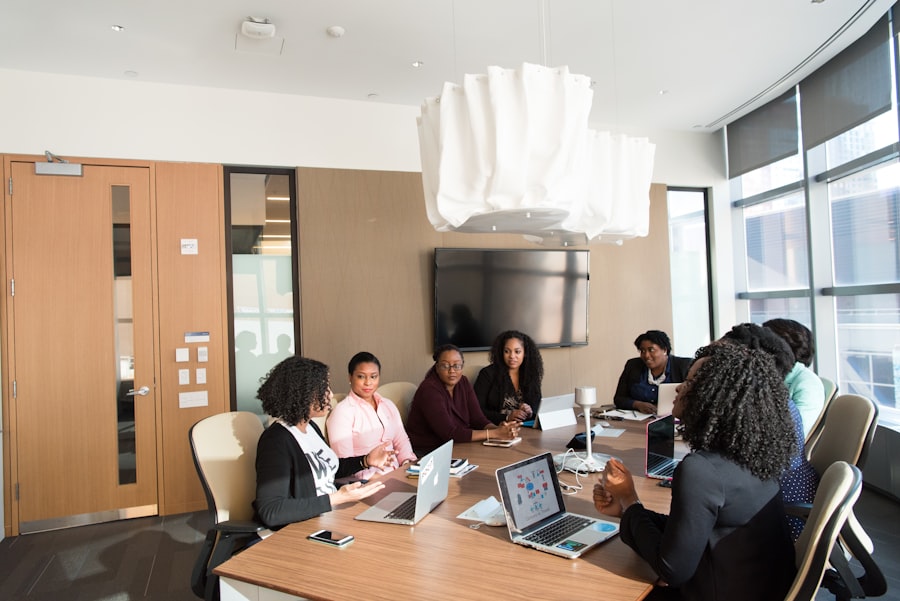
Meetings can often feel like a necessary evil in the workplace, consuming valuable time without always yielding productive outcomes. To make the most of your meeting time, it’s essential to prioritize and streamline these gatherings effectively. Start by evaluating whether a meeting is truly necessary for the topic at hand.
If the information can be shared via email or a quick chat, consider opting for those methods instead. When meetings are unavoidable, ensure that they have a clear agenda and purpose, allowing participants to come prepared and focused. During the meeting itself, stick to the agenda and encourage participants to do the same.
This helps prevent discussions from veering off course and ensures that all relevant topics are covered within the allotted time. Additionally, consider designating a timekeeper to help manage the flow of the meeting and keep discussions on track. By implementing these strategies, you can transform meetings from time-consuming obligations into productive sessions that drive progress and collaboration.
Setting Boundaries and Expectations
| Metric | Description | Value | Unit |
|---|---|---|---|
| Busy Triggers | Number of automated triggers activated during busy hours | 120 | Triggers/day |
| Inbox Messages | Total messages received in the inbox during peak hours | 450 | Messages/hour |
| Chat Sessions | Number of chat sessions initiated during busy periods | 75 | Sessions/day |
| Meetings Scheduled | Meetings scheduled via triggers during busy hours | 30 | Meetings/day |
| Average Response Time | Average time to respond to inbox messages during busy hours | 2 | Minutes |
| Trigger Success Rate | Percentage of triggers successfully executed | 95 | % |
In a world where work often spills over into personal time, setting boundaries and expectations is vital for maintaining a healthy work-life balance. Start by clearly defining your working hours and communicating them with your team. Let them know when you are available for collaboration and when you need uninterrupted time for focused work.
Additionally, consider establishing guidelines for communication outside of working hours. While it may be tempting to check emails or respond to messages during your downtime, doing so can blur the lines between work and personal life.
By setting clear boundaries around when you will engage with work-related communications, you can create a healthier separation between your professional responsibilities and personal well-being.
Tools and Techniques for Inbox Management

To effectively manage your inbox, leveraging various tools and techniques can make a significant difference in your productivity levels. One popular tool is email filtering software that automatically sorts incoming messages based on predefined criteria such as sender or subject line. This allows you to prioritize important emails while relegating less urgent ones to secondary folders for later review.
Another technique worth exploring is the use of task management applications that integrate with your email platform. These tools allow you to convert emails into actionable tasks with deadlines and reminders, ensuring that nothing falls through the cracks. By combining these tools with effective techniques like batch processing—where you dedicate specific blocks of time solely for email management—you can streamline your workflow and maintain a more organized inbox.
Effective Communication in Chat Platforms
Effective communication in chat platforms goes beyond just sending messages; it involves creating an environment where collaboration thrives. One key aspect is using appropriate channels for different types of communication. For instance, use direct messages for quick questions or clarifications while reserving group chats for broader discussions that require input from multiple team members.
This helps keep conversations organized and ensures that everyone is on the same page. Additionally, consider incorporating visual elements into your chat communications when appropriate. Sharing images, screenshots, or even short video clips can enhance understanding and engagement among team members.
Visual aids can clarify complex ideas or provide context that text alone may not convey effectively. By embracing these practices, you can foster a more dynamic and productive communication culture within your team.
Streamlining Meeting Processes
Streamlining meeting processes is essential for maximizing efficiency and ensuring that every gathering serves its intended purpose. One effective approach is to implement a “no agenda, no meeting” policy—meaning that if there isn’t a clear agenda outlining the topics to be discussed, then the meeting should be reconsidered or canceled altogether. This encourages participants to come prepared with relevant information and keeps discussions focused on actionable items.
Another strategy is to utilize technology to enhance meeting processes. Consider using collaborative tools that allow participants to contribute ideas or feedback in real-time during meetings. This not only encourages engagement but also ensures that everyone’s voice is heard without derailing the conversation flow.
By adopting these practices, you can create a more streamlined meeting experience that respects everyone’s time while driving meaningful outcomes.
Creating a Productive Workspace
Your workspace plays a significant role in influencing your productivity levels throughout the day. To create an environment conducive to focus and efficiency, start by decluttering your physical space. Remove unnecessary items from your desk and organize essential tools within easy reach.
A clean workspace not only reduces distractions but also promotes a sense of calmness that can enhance concentration. In addition to physical organization, consider optimizing your digital workspace as well. Organize files into clearly labeled folders on your computer and utilize desktop shortcuts for frequently accessed documents or applications.
This digital tidiness allows you to locate information quickly without wasting precious time searching through disorganized files. By investing effort into creating both a physical and digital workspace that fosters productivity, you set yourself up for success in achieving your goals.
Managing Interruptions and Distractions
Interruptions and distractions are inevitable in any work environment; however, how you manage them can significantly impact your productivity levels. One effective strategy is to establish “focus blocks” during which you minimize interruptions by turning off notifications on your devices or using apps designed to block distracting websites temporarily. Communicate with colleagues about these focus periods so they understand when you are unavailable for immediate responses.
Additionally, consider implementing techniques such as the Pomodoro Technique—where you work in focused bursts followed by short breaks—to maintain concentration while allowing yourself time to recharge periodically. This approach not only helps combat distractions but also enhances overall productivity by promoting sustained focus on tasks at hand.
Balancing Work and Personal Life
Achieving a healthy balance between work and personal life is essential for long-term well-being and satisfaction in both areas. Start by prioritizing self-care activities outside of work hours—whether it’s exercising regularly, spending quality time with loved ones, or pursuing hobbies that bring you joy. By making time for these activities, you recharge mentally and physically, enabling you to approach work with renewed energy.
Moreover, consider adopting flexible work arrangements if possible—such as remote work options or adjusted hours—to better accommodate personal commitments while still fulfilling professional responsibilities. Open communication with supervisors about your needs can lead to mutually beneficial solutions that enhance both productivity at work and satisfaction in personal life. By actively seeking balance between these two realms, you cultivate a more fulfilling lifestyle overall.
In today’s fast-paced work environment, managing busy triggers in inbox chat meetings can significantly enhance productivity. For more insights on optimizing your workflow and reducing distractions, check out this informative article on Productive Patty. It offers practical tips and strategies to help you navigate the challenges of virtual communication effectively.
FAQs
What are busy triggers in the context of inbox chat meetings?
Busy triggers refer to automated signals or conditions that indicate when a person is occupied or unavailable, often used to manage notifications and scheduling in inbox chat meetings.
How do busy triggers help manage inbox chat meetings?
Busy triggers help by automatically detecting when participants are engaged in other tasks or meetings, allowing the system to delay notifications or reschedule meetings to avoid interruptions.
Can busy triggers be customized for different users?
Yes, many platforms allow users to customize busy triggers based on their calendar status, work hours, or specific preferences to better manage their availability during inbox chat meetings.
Do busy triggers integrate with calendar applications?
Typically, busy triggers integrate with calendar applications like Google Calendar or Outlook to accurately reflect a user’s availability and prevent scheduling conflicts during inbox chat meetings.
Are busy triggers effective in reducing meeting overload?
Yes, by signaling when participants are busy, busy triggers can help reduce unnecessary meetings and interruptions, leading to more efficient use of time during inbox chat sessions.
What types of notifications are affected by busy triggers in inbox chat meetings?
Notifications such as meeting invites, chat messages, and reminders can be managed by busy triggers to minimize disruptions when a user is marked as busy.
Do busy triggers work in real-time during inbox chat meetings?
Yes, busy triggers often operate in real-time to update a user’s status and manage incoming communications dynamically during inbox chat meetings.
Are busy triggers available in all inbox chat platforms?
Availability varies by platform; some inbox chat tools have built-in busy trigger features, while others may require third-party integrations or manual status updates.
Can busy triggers be overridden manually?
In most systems, users can manually override busy triggers to indicate availability or to accept meetings and messages despite being marked as busy.
What is the main benefit of using busy triggers in inbox chat meetings?
The main benefit is improved time management and reduced interruptions, enabling participants to focus on tasks and meetings without unnecessary distractions.