
You stand at the precipice of a decision, a crossroads in your digital journey. The modern landscape of productivity applications is vast and varied, a digital marketplace brimming with tools designed to streamline your work, organize your life, and amplify your output. But navigating this intricate web can be daunting. This article will serve as your compass, guiding you through the considerations necessary to select the productivity app that truly aligns with your unique needs and working style. Think of it as a bespoke tailoring session for your digital toolkit.
Discover the best productivity system to enhance your daily workflow and achieve more.
Before you even begin to browse the myriad of available options, it’s crucial to perform an internal audit. You wouldn’t buy a car without considering your daily commute or lifestyle; similarly, you shouldn’t adopt a productivity app without first understanding your own operational rhythm.
Identifying Your Core Needs
What, precisely, are you trying to achieve? Are you a student drowning in assignments, a project manager juggling multiple teams, an entrepreneur seeking to optimize their workflow, or an individual aiming to better manage personal tasks? Be specific.
- Task Management: Do you primarily need a way to track individual tasks, delegate responsibilities, or set deadlines?
- Project Management: Are you managing larger initiatives with multiple stakeholders, dependencies, and timelines?
- Note-Taking & Information Capture: Do you frequently need to jot down ideas, save articles, or organize research?
- Time Management & Scheduling: Is your main challenge prioritizing tasks, blocking out time, or adhering to a predefined schedule?
- Collaboration: Do you regularly work with others, requiring shared documents, real-time editing, or communication features?
- Habit Tracking: Are you looking to build new habits or break old ones, requiring regular reminders and progress tracking?
Analyzing Your Working Style
Your personal approach to work is a significant determinant in app selection. Some individuals thrive on highly structured systems, while others prefer more fluid and adaptable environments.
- Structured vs. Flexible: Do you prefer rigid frameworks and predefined categories, or do you need a tool that can adapt to changing priorities and impromptu additions?
- Solo vs. Collaborative: Is your work predominantly individual, or do you frequently interact with a team, requiring features for shared work and communication?
- Visual vs. Textual: Do you process information better through visual cues like Kanban boards and mind maps, or are you more comfortable with linear lists and textual descriptions?
- Minimalist vs. Feature-Rich: Do you prefer a clean, uncluttered interface with only essential functions, or do you enjoy a comprehensive suite of features, even if some remain unused?
- Analog vs. Digital Preference: While you’re looking for a digital tool, understanding your comfort level with technology is important. Some apps mimic analog systems, which can ease the transition.
Considering Your Technical Proficiency
Be honest about your comfort level with technology. A powerful app with a steep learning curve might deter you if you’re not tech-savvy.
- Beginner: You prefer intuitive interfaces, clear instructions, and minimal setup.
- Intermediate: You’re comfortable exploring features and customizing settings.
- Advanced: You thrive on complex functionalities, integrations, and automation.
When it comes to selecting the right productivity app, it can be overwhelming given the multitude of options available. A helpful resource that delves into this topic is the article found at Productive Patty, which provides insights and tips on how to effectively choose between various productivity applications. This article outlines key features to consider, user experiences, and comparisons that can aid in making an informed decision tailored to your specific needs.
Exploring Different Categories of Productivity Apps
The digital ecosystem groups productivity tools into several broad categories, each designed to address specific needs. Understanding these distinctions will help you narrow down your search.
Task Management Applications
These are the workhorses of daily organization, focusing on individual tasks and to-do lists. They are ideal for managing personal errands, individual work assignments, or simple projects.
- Features to Look For: Task creation, due dates, reminders, subtasks, recurring tasks, priority levels, simple tagging, basic collaboration.
- Examples: Todoist, Microsoft To Do, Apple Reminders, Google Tasks.
Project Management Platforms
When tasks coalesce into larger, multi-faceted endeavors, project management tools become indispensable. They offer a comprehensive suite for planning, executing, and tracking complex projects.
- Features to Look For: Gantt charts, Kanban boards, team collaboration, resource management, timeline views, dependency tracking, reporting, file sharing, communication channels.
- Examples: Asana, Trello (for more visual project management), Jira, Monday.com, ClickUp.
Note-Taking & Knowledge Management Systems
These applications serve as digital extensions of your memory, allowing you to capture ideas, organize information, and build a personal knowledge base.
- Features to Look For: Rich text editing, multimedia embedding (images, audio, video), tagging, search functionality, cross-linking, web clipping, OCR (Optical Character Recognition), synchronization across devices.
- Examples: Evernote, OneNote, Notion (blends note-taking with project management), Obsidian, Roam Research.
Time Management & Scheduling Tools
While calendars are the bedrock of scheduling, dedicated time management apps offer enhanced features for planning your day, blocking out focus time, and analyzing your time allocation.
- Features to Look For: Calendar integration, time blocking, Pomodoro timers, habit tracking, activity logging, analytics on time usage.
- Examples: Google Calendar (with time blocking features), Fantastical, Clockwise, Focus Keeper (Pomodoro).
All-in-One Productivity Suites
Some applications aim to be a comprehensive hub, integrating elements of task management, note-taking, project management, and even collaboration into a single platform. This can be beneficial for those who prefer a consolidated approach, but can also lead to feature bloat if not carefully selected.
- Features to Look For: Integrated task lists, notes, databases, wikis, project boards, customizable workspaces, extensive integrations.
- Examples: Notion, ClickUp, Monday.com.
Key Features and Considerations
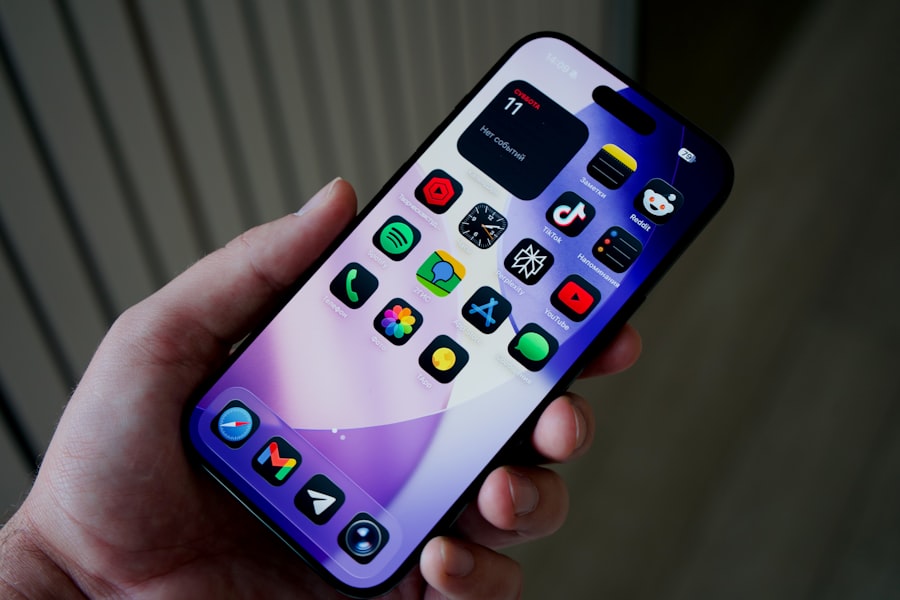
Once you’ve identified your core needs and explored the app categories, it’s time to delve into the specific features and practical considerations that will refine your choice. This is where you scrutinize the fine print, comparing apples to apples and oranges to oranges.
User Interface and User Experience (UI/UX)
The aesthetic appeal and ease of use of an app are paramount. A clunky, unintuitive interface can be a significant barrier to adoption, no matter how powerful the underlying features.
- Intuition: How easy is it to navigate? Can you perform common actions without consulting a tutorial?
- Clarity: Is the information presented clearly and concisely, or is the screen cluttered?
- Aesthetics: Do you find the design visually appealing and non-distracting?
- Customization: Can you adjust the layout, themes, or font sizes to suit your preferences?
Platform Compatibility and Synchronization
In today’s multi-device world, seamless access across all your platforms is not a luxury, but a necessity.
- Operating Systems: Does the app support your primary operating systems (Windows, macOS, iOS, Android, Linux)?
- Web-Based Access: Is there a robust web application for when you’re on a shared computer or don’t have the native app installed?
- Offline Mode: Can you access and modify your data even without an internet connection?
- Real-time Synchronization: How reliably and quickly does the app sync data across your devices?
Integrations and Ecosystem
No app is an island. Its ability to connect with other tools you already use can significantly enhance its utility. Think of it as building a digital neural network around your core productivity hub.
- Calendar Integration: Does it sync with Google Calendar, Outlook Calendar, or Apple Calendar?
- Email Integration: Can you turn emails into tasks, or send tasks to your email?
- Cloud Storage: Does it integrate with Dropbox, Google Drive, OneDrive, or other cloud storage services for file attachments?
- Communication Tools: Can it connect with Slack, Microsoft Teams, or other communication platforms?
- Automation: Does it support Zapier, IFTTT, or other automation services for advanced workflows?
Pricing Models and Scalability
Productivity apps come with various pricing structures. Understanding these will help you balance features with your budget.
- Free Tier: Many apps offer a free version with limited features. This is an excellent way to test the waters.
- Subscription Models: Most powerful apps operate on a monthly or annual subscription. Consider the cost-benefit analysis.
- One-time Purchase: Less common now, but some apps offer a single upfront payment.
- Tiered Pricing: Often, pricing scales with the number of users, storage, or advanced features. Consider your future growth. Will the app grow with you? Can it handle increased complexity or team size?
Security and Data Privacy
Your personal and professional data will reside within these applications. Therefore, security and privacy should be non-negotiable considerations.
- Encryption: Does the app encrypt your data both in transit and at rest?
- Data Location: Where are the servers located, and what are the associated data privacy laws (e.g., GDPR)?
- Backup and Recovery: How does the provider handle data backups and recovery in case of system failure?
- Authentication: Does it offer two-factor authentication (2FA) for an extra layer of security?
- Privacy Policy: Read the privacy policy carefully to understand how your data is collected, used, and shared.
The Trial and Evaluation Process
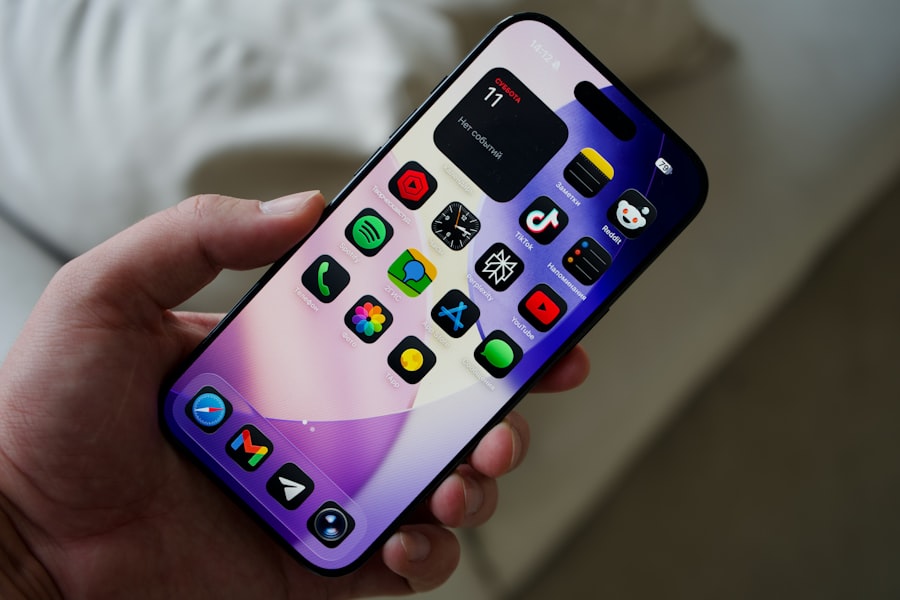
Selecting an app isn’t a one-and-done decision. It’s an iterative process, much like trying on clothes. You wouldn’t buy a suit without trying it on, would you?
Leveraging Free Trials and Basic Versions
Almost every reputable productivity app offers a free tier or a trial period. This is your invaluable opportunity to get hands-on experience without commitment.
- Test Core Features: Focus on the features most critical to your needs. Create a few tasks, write some notes, share a project, manipulate a calendar entry.
- Simulate Your Workflow: Try to replicate a typical day or week using the app. How does it integrate into your existing routines?
- Evaluate UI/UX: Does the interface feel intuitive after a few days? Are there any minor annoyances that might become major frustrations over time?
- Check Performance: Is the app fast and responsive? Does it crash frequently?
Reading Reviews and Community Feedback
While your personal experience is paramount, the collective wisdom of other users can provide valuable insights.
- App Store Reviews: Look for patterns in positive and negative feedback regarding stability, customer support, and specific features.
- Tech Blogs and Forums: Professional reviews often delve into technical details and comparisons, while user forums can highlight common workarounds or frustrations.
- Social Media: Engage with app communities on platforms like Reddit or Twitter to gauge user sentiment and get direct questions answered. Be discerning, however, as online discourse can sometimes be overly critical or overly enthusiastic.
Considering Customer Support and Resources
Even the best apps can present challenges. Reliable customer support and readily available resources can be a lifesaver.
- Documentation: Is there a comprehensive knowledge base, FAQ section, or user manual?
- Tutorials: Are there video tutorials or step-by-step guides to help you master advanced features?
- Responsiveness: How quickly and effectively does their customer support respond to inquiries? Test this during your trial.
- Community Forums: Does the app have an active user community where you can seek help or share tips?
When it comes to selecting the right productivity app, it’s essential to consider your specific needs and workflow preferences. A helpful resource for making this decision is an article that outlines various factors to consider, such as user interface, features, and integration capabilities. You can explore more about this topic in detail by visiting this insightful article which provides valuable tips on how to choose between different productivity apps effectively.
Making the Final Decision and Ongoing Optimization
| Criteria | Description | Key Metrics | Considerations |
|---|---|---|---|
| Functionality | Features offered by the app to enhance productivity | Task management, calendar integration, note-taking, collaboration tools | Choose apps that cover your essential productivity needs |
| Ease of Use | How intuitive and user-friendly the app interface is | Learning curve, navigation simplicity, customization options | Apps with simple UI reduce time spent learning and increase adoption |
| Platform Compatibility | Availability across devices and operating systems | iOS, Android, Windows, macOS, Web access | Choose apps that sync across all your devices seamlessly |
| Integration | Ability to connect with other tools and services | API support, third-party app integrations, cloud storage compatibility | Better integration improves workflow efficiency |
| Cost | Pricing model and value for money | Free tier availability, subscription fees, one-time purchase | Balance features needed with budget constraints |
| Security & Privacy | Protection of user data and compliance with standards | Encryption, data ownership, GDPR compliance | Important for sensitive or confidential information |
| Customer Support | Availability and quality of user assistance | Response time, support channels, documentation quality | Good support helps resolve issues quickly |
| User Reviews & Ratings | Feedback from current users about app performance | Average rating, number of reviews, common complaints | Provides real-world insights into app reliability |
You’ve done your research, you’ve tried out several options. Now it’s time to commit, with the understanding that this isn’t necessarily a lifelong pact.
Prioritizing and Weighing Trade-offs
No single app will perfectly meet every single criterion. You’ll need to make compromises. Which features are absolutely essential, and which are merely desirable?
- Must-Haves vs. Nice-to-Haves: Create a ranking system for your desired features. If an app lacks a “must-have,” it’s likely not the right fit.
- Cost-Benefit Analysis: Is the subscription cost justified by the time savings, reduced stress, or increased output it provides?
- Learning Curve vs. Power: Are you willing to invest time in learning a more complex but powerful tool, or do you prefer immediate ease of use?
Adopting and Integrating the Chosen App
Once you’ve made your choice, don’t just open the app and expect magic. A successful adoption involves conscious effort.
- Migrate Gradually: Don’t try to move all your existing systems into the new app at once. Start with a few key workflows.
- Establish Habits: Make it a point to use the app consistently. This might involve setting daily reminders or blocking out time for organization.
- Personalize Settings: Tweak notifications, themes, and layouts to make the app truly yours.
- Seek Training: If the app is complex, invest time in watching tutorials or reading advanced guides.
Regular Review and Adjustment
The digital landscape is constantly evolving, as are your needs. What works today might not work tomorrow.
- Periodic Review: Schedule a quarterly or semi-annual review of your productivity stack. Is the chosen app still serving you well? Are there new features or alternative apps that might be a better fit?
- Feedback Loop: Provide feedback to the app developers. Your insights can contribute to improving the tool for everyone.
- Stay Informed: Keep an eye on industry trends and new releases. The perfect app for you might not even exist yet.
The journey to finding the right productivity app is a deeply personal one. It requires introspection, research, critical evaluation, and a willingness to adapt. By systematically approaching this decision, you empower yourself to build a digital environment that amplifies your potential, rather than becoming another source of digital clutter. Choose wisely, and watch your productivity flourish.
WATCH THIS! 🎯 STOP Wasting Time on the “Perfect” System
FAQs
What are productivity apps?
Productivity apps are software applications designed to help users manage their tasks, time, and projects more efficiently. They often include features like to-do lists, calendars, note-taking, and collaboration tools.
What factors should I consider when choosing a productivity app?
Key factors include the app’s features, ease of use, compatibility with your devices, integration with other tools you use, pricing, and whether it supports collaboration if needed.
Are there different types of productivity apps?
Yes, productivity apps can be categorized into task managers, note-taking apps, calendar apps, project management tools, and time-tracking apps, among others.
Can I use multiple productivity apps together?
Yes, many users combine different apps to cover various productivity needs. Some apps also offer integrations to work seamlessly with others.
Is it better to choose a free or paid productivity app?
It depends on your needs. Free apps often have basic features suitable for personal use, while paid apps typically offer advanced features, better support, and more customization options.
How important is cross-platform compatibility?
Cross-platform compatibility is important if you use multiple devices (e.g., smartphone, tablet, computer) to ensure your data syncs and you can access your productivity tools anywhere.
Should I prioritize simplicity or advanced features?
This depends on your workflow. If you prefer straightforward task management, simplicity is key. If you need complex project tracking or collaboration, advanced features may be necessary.
Can productivity apps help improve time management?
Yes, many productivity apps include features like reminders, deadlines, and time tracking that can help users manage their time more effectively.
How do I know if a productivity app is right for me?
Try using the app’s free trial or free version to see if its interface and features align with your workflow and productivity goals before committing.
Are productivity apps secure?
Security varies by app. It’s important to choose apps that use encryption, have clear privacy policies, and regularly update their software to protect your data.