
Email has become a critical communication tool in both personal and professional contexts. However, the constant influx of messages creates significant challenges for many users, including email anxiety and inbox overwhelm. Email anxiety typically manifests as stress when facing large volumes of unread messages.
Common sources of this anxiety include concerns about missing important information, expectations to respond quickly, and the sheer volume of daily incoming messages. Recognizing these triggers is essential for developing effective management strategies. Email anxiety frequently leads to avoidance behaviors, where individuals delay checking their inbox due to anticipated stress.
Additionally, individuals may experience frustration when comparing their email management abilities to those of colleagues or peers. Research and anecdotal evidence indicate that email anxiety is a widespread issue affecting many professionals and individuals.
Understanding that this challenge is common rather than a personal failing can help reduce the associated stress and shame that often accompanies inbox overwhelm.
Key Takeaways
- Recognize and address email anxiety by understanding its causes and setting clear boundaries.
- Use folders, labels, and email management tools to keep your inbox organized and manageable.
- Establish a consistent routine and batch process for checking and responding to emails efficiently.
- Reduce inbox clutter by unsubscribing from unwanted emails and using filters.
- Incorporate mindfulness and seek support to manage stress related to email overload.
Setting Boundaries and Prioritizing Emails
To combat email anxiety, it’s essential to establish clear boundaries around your email usage. You might consider setting specific times during the day to check your inbox rather than allowing it to interrupt your workflow constantly. By designating these times, you create a structured approach that can help reduce feelings of overwhelm.
Additionally, communicating these boundaries to colleagues and friends can foster understanding and respect for your time, allowing you to focus on tasks without the constant distraction of incoming emails. Prioritizing your emails is another effective strategy. When you open your inbox, take a moment to assess which messages require immediate attention and which can wait.
You might find it helpful to categorize emails based on urgency and importance. For instance, you could flag emails that need a response within 24 hours while marking others for later review. This prioritization not only streamlines your workflow but also provides a sense of control over your inbox, reducing anxiety as you tackle each message systematically. You can learn more about overcoming the perfectionism loop in this insightful video.
Organizing Your Inbox with Folders and Labels

A well-organized inbox can significantly reduce feelings of overwhelm and anxiety. One effective method is to create folders and labels that categorize your emails based on projects, clients, or topics. By doing so, you can quickly locate important messages without sifting through a cluttered inbox.
For example, if you manage multiple projects at work, consider creating separate folders for each project. This way, when you need to reference specific information or respond to a client, you can easily navigate to the relevant folder. Labels can also enhance your organization efforts.
You might use color-coded labels to signify different priorities or statuses—such as urgent, follow-up, or completed. This visual cue can help you quickly assess what needs your attention at a glance. By investing time in organizing your inbox with folders and labels, you create a more manageable environment that fosters productivity and reduces the anxiety associated with searching for important emails.
Implementing Email Management Tools and Apps
In addition to manual organization techniques, various email management tools and apps can streamline your email experience. These tools often come equipped with features designed to enhance productivity and reduce clutter. For instance, applications like Slack or Microsoft Teams allow for real-time communication, reducing the need for lengthy email threads.
By integrating these tools into your workflow, you can minimize the volume of emails you receive while fostering more efficient communication with colleagues. Another useful tool is an email client that offers advanced filtering options or smart inbox features. These applications can automatically sort incoming messages based on predefined criteria, such as sender or subject line.
By utilizing these features, you can ensure that important emails are prioritized while less critical messages are relegated to secondary folders. Exploring different email management tools can help you find the right fit for your needs, ultimately leading to a more organized and less stressful email experience.
Creating a Routine for Checking and Responding to Emails
| Solution | Description | Effectiveness | Time to Implement | Recommended For |
|---|---|---|---|---|
| Email Filtering & Folders | Automatically sort incoming emails into folders based on rules or sender. | High | 15-30 minutes | Users with high volume of emails |
| Scheduled Email Checking | Limit email checking to specific times during the day to reduce constant distractions. | Medium to High | Immediate | People prone to frequent interruptions |
| Email Unsubscribe | Regularly unsubscribe from unwanted newsletters and promotional emails. | High | Ongoing | Users overwhelmed by marketing emails |
| Use of Email Management Tools | Utilize apps like SaneBox, Clean Email, or Spark to organize and prioritize emails. | High | 1-2 hours | Users seeking automation and prioritization |
| Inbox Zero Method | Process emails daily to keep inbox empty or near empty by archiving or deleting. | High | Daily habit | Users wanting strict control over inbox |
| Set Clear Email Priorities | Flag or star important emails and respond to them first. | Medium | Immediate | Users needing focus on critical messages |
| Use Short, Clear Responses | Reduce time spent on emails by writing concise replies. | Medium | Immediate | Busy professionals |
| Turn Off Email Notifications | Disable push notifications to reduce anxiety and distractions. | Medium | Immediate | Users easily distracted by alerts |
Establishing a routine for checking and responding to emails is vital in managing email anxiety effectively. You might find it beneficial to allocate specific time blocks throughout your day dedicated solely to email management. For example, consider checking your inbox first thing in the morning and then again after lunch.
This routine allows you to stay informed without letting emails dictate your entire day. By compartmentalizing your email tasks, you create a sense of structure that can alleviate feelings of chaos. When responding to emails during these designated times, aim for efficiency.
You could set a timer for 15 or 30 minutes and focus solely on replying to messages within that timeframe. This approach encourages quick decision-making and prevents you from getting bogged down in lengthy responses or unnecessary back-and-forth exchanges. By creating a routine around email management, you empower yourself to take control of your inbox rather than letting it control you.
Unsubscribing and Filtering Unwanted Emails
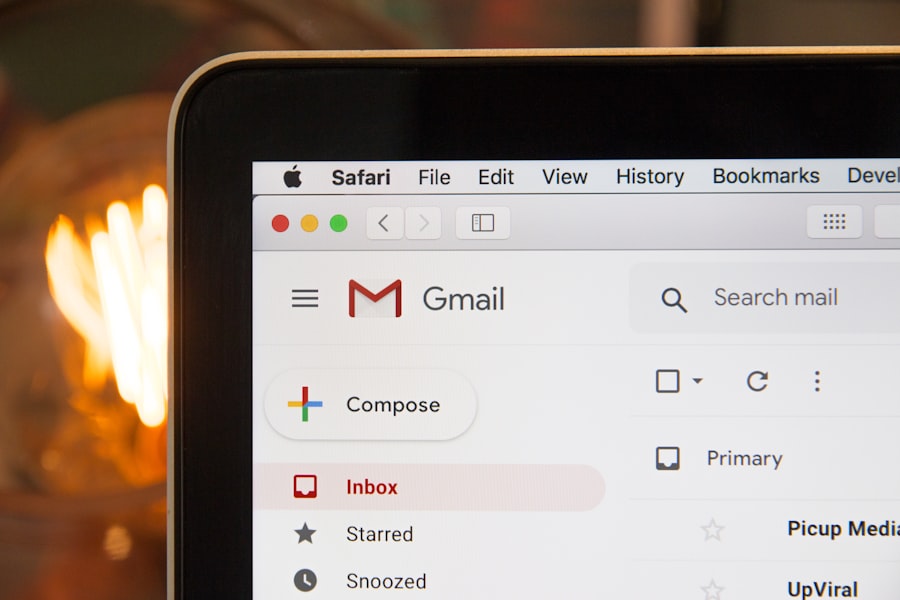
One of the most effective ways to reduce inbox overwhelm is by unsubscribing from newsletters or promotional emails that no longer serve your interests or needs. Take a moment to evaluate the subscriptions filling your inbox—are they providing value? If not, don’t hesitate to click that unsubscribe button.
By decluttering your email subscriptions, you create space for more meaningful communications while significantly reducing the volume of incoming messages. In addition to unsubscribing, consider implementing filters that automatically sort unwanted emails into designated folders or even the trash. Most email providers offer filtering options that allow you to set rules based on keywords or sender addresses.
By utilizing these filters, you can ensure that promotional emails or spam don’t clutter your primary inbox, allowing you to focus on more important messages without distraction.
Utilizing the “Batching” Technique for Email Management
The “batching” technique is an effective strategy for managing emails efficiently while minimizing distractions. Instead of responding to emails as they come in throughout the day, consider batching similar tasks together during designated time slots. For instance, set aside 30 minutes in the morning and another 30 minutes in the afternoon solely for email management.
During these periods, focus exclusively on reading and responding to emails without allowing other tasks or notifications to interrupt your flow. Batching not only enhances productivity but also helps reduce decision fatigue associated with constant email interruptions. When you dedicate specific times for email management, you create a rhythm that allows you to approach your inbox with a clear mind and focused energy.
This technique empowers you to tackle emails more efficiently while minimizing the stress that often accompanies an overflowing inbox.
Using Templates and Canned Responses for Common Emails
Another effective way to streamline your email management process is by utilizing templates and canned responses for common inquiries or messages. If you frequently send similar types of emails—such as meeting requests or follow-up messages—consider creating templates that you can easily customize as needed. This approach saves time and ensures consistency in your communication.
Most email platforms offer features that allow you to save templates or canned responses for quick access. By leveraging these tools, you can respond promptly without having to craft each message from scratch. This not only enhances your efficiency but also reduces the mental load associated with composing repetitive emails, ultimately contributing to a more manageable inbox experience.
Setting Aside Dedicated Time for Email Cleanup
Regularly setting aside dedicated time for email cleanup is essential in maintaining an organized inbox and reducing feelings of overwhelm. You might choose to allocate time at the end of each week or month specifically for this purpose. During this cleanup session, focus on archiving old emails, deleting unnecessary messages, and organizing remaining emails into appropriate folders or labels.
This proactive approach not only keeps your inbox tidy but also allows you to reflect on past communications and ensure nothing important slips through the cracks. By making email cleanup a regular part of your routine, you cultivate a sense of control over your inbox while minimizing the anxiety associated with an overflowing email account.
Seeking Support and Accountability from Colleagues or Friends
Managing email anxiety can be challenging, but seeking support from colleagues or friends can make a significant difference in your journey toward better email management.
Additionally, having an accountability partner can motivate you to stay committed to improving your email habits.
You might even consider forming a small group where members share tips and techniques for managing their inboxes effectively. This collaborative approach fosters a sense of community while providing opportunities for learning from one another’s experiences. By seeking support from others, you not only gain practical advice but also create a network of encouragement as you work toward reducing email anxiety together.
Practicing Mindfulness and Stress-Relief Techniques for Email Anxiety
Finally, incorporating mindfulness and stress-relief techniques into your daily routine can significantly alleviate email anxiety. When faced with an overwhelming inbox, take a moment to pause and breathe deeply before diving into your messages. Practicing mindfulness helps ground you in the present moment, allowing you to approach your emails with clarity rather than stress.
You might also explore other stress-relief techniques such as meditation or physical exercise to help manage overall anxiety levels. Engaging in activities that promote relaxation can enhance your ability to cope with the pressures of email communication effectively. By prioritizing self-care alongside practical strategies for managing your inbox, you empower yourself to navigate email challenges with greater ease and confidence.
In conclusion, managing email anxiety and overcoming inbox overwhelm requires a multifaceted approach that combines organization techniques with self-care practices. By understanding the sources of your anxiety and implementing strategies such as setting boundaries, organizing your inbox, utilizing tools, creating routines, unsubscribing from unwanted emails, batching tasks, using templates, dedicating time for cleanup, seeking support from others, and practicing mindfulness techniques, you can transform your relationship with email into a more manageable and less stressful experience. Embrace these strategies as part of your daily routine and watch as your email anxiety diminishes over time.
If you’re struggling with email anxiety and feeling overwhelmed by your inbox, you might find helpful strategies in the article on Productive Patty. This resource offers practical solutions to manage your email more effectively, helping you regain control and reduce stress associated with a cluttered inbox.
WATCH THIS! 🎯 PERFECTIONISM LOOP THAT KILLS YOUR DREAMS — How to Break Free in 5 Minutes
FAQs
What is email anxiety?
Email anxiety refers to the stress or overwhelming feeling people experience when managing a large volume of emails. It can result from constant notifications, pressure to respond quickly, or difficulty organizing and prioritizing messages.
What causes inbox overwhelm?
Inbox overwhelm is typically caused by receiving more emails than one can effectively manage. Factors include high email volume, lack of organization, unclear priorities, and frequent interruptions from incoming messages.
What are some common signs of email anxiety?
Common signs include feeling stressed or anxious when checking email, procrastinating on responding, difficulty focusing due to constant email alerts, and a persistent feeling of being behind on communication.
How can I reduce email anxiety?
To reduce email anxiety, consider setting specific times to check email, turning off non-essential notifications, organizing your inbox with folders or labels, and prioritizing messages based on urgency and importance.
What strategies help manage inbox overwhelm?
Effective strategies include using filters and rules to automatically sort emails, unsubscribing from unnecessary newsletters, archiving or deleting old messages, and using tools or apps designed to streamline email management.
Is it helpful to limit the number of emails I send and receive?
Yes, limiting emails by consolidating messages, using clear and concise communication, and encouraging alternative communication methods (like instant messaging or phone calls) can reduce inbox volume and stress.
Can email management tools help with inbox overwhelm?
Yes, many email management tools offer features like automatic sorting, priority inboxes, reminders, and snooze options that help users focus on important emails and reduce clutter.
Should I respond to every email immediately to avoid anxiety?
No, it is not necessary to respond immediately to every email. Setting boundaries and allocating specific times for email responses can improve productivity and reduce anxiety.
How often should I check my email to avoid overwhelm?
Checking email a few times a day at scheduled intervals, rather than constantly, can help maintain focus and reduce feelings of overwhelm.
Can improving email habits improve overall productivity?
Yes, adopting effective email habits such as prioritizing, organizing, and limiting email checking can enhance productivity by reducing distractions and allowing more focused work time.