
You, as a diligent individual navigating the complexities of modern life, are continually bombarded with stimuli. From the persistent glow of your smartphone to the ambient hum of colleagues, your attention is a precious, finite resource perpetually under siege. Cultivating a distinction-free space is not merely a matter of personal preference; it is a strategic imperative for enhanced productivity, improved focus, and sustained well-being. This guide delineates the practical considerations and psychological underpinnings involved in constructing an environment conducive to deep work and undisturbed thought.
Before you can effectively mitigate distractions, you must first comprehend their myriad forms and insidious influence. Think of distraction as a persistent, low-frequency hum that gradually erodes your cognitive bandwidth. It’s not always a sudden, jarring interruption; often, it’s a drip-drip-drip of micro-attentions that collectively drain your focus.
External Distractions
These are the most readily identifiable culprits. They are the tangible and audible interruptions that pull your gaze or ears away from your intended task.
Auditory Intrusions
The symphony of modern life, though sometimes pleasant, can be a relentless onslaught when you’re attempting concentrated effort. This includes everything from the insistent chirping of an incoming email notification to the distant thrum of construction.
Noise Cancellation and Sound Masking
While complete silence is often an elusive ideal, you can significantly reduce auditory distractions through technologies like noise-cancelling headphones. These devices, acting as a sonic shield, actively counteract ambient noise. Alternatively, sound masking systems introduce a low-level, unobtrusive background sound – often a gentle, constant white noise – designed to cover up speech and other intermittent sounds, making them less noticeable.
Strategic Location Selection
When available, choosing a workspace physically isolated from high-traffic areas or common gathering points is paramount. A corner office or a secluded cubicle, though seemingly minor advantages, offer a considerably reduced exposure to impromptu conversations and passing foot traffic.
Visual Clutter
Your eyes are powerful agents of distraction. A cluttered desk, an overflowing inbox, or even the movement of people in your peripheral vision can pull your attention like a strong current.
Desk Organization and Minimalism
Embrace the philosophy of “a place for everything, and everything in its place.” A truly distraction-free desk is a minimalist canvas, holding only the essential tools for your current task. Unnecessary papers, decorative trinkets, and even multiple open applications on your computer screen contribute to cognitive overhead, forcing your brain to process superfluous information.
Strategically Positioned Workspace
Orient your desk to minimize visual pathways to high-traffic areas or windows offering views of dynamic outdoor activities. If repositioning is not feasible, consider using screens or partitions to create a visual barrier between your workspace and potential distractions.
Internal Distractions
These are often more insidious, as they originate within your own mind. They are the mental detours and cognitive pitfalls that can derail even the most focused individual.
Cognitive Load and Task Switching
Your brain, while remarkably powerful, has finite processing capacity. Each time you switch between tasks, there’s a “switch cost” – a period where your brain reorients itself to the new demand. Frequent task switching, often manifest as jumping between emails, social media, and your primary work, significantly diminishes your cognitive efficiency.
Single-Tasking Protocol
Commit to performing one task at a time. This involves closing all unnecessary applications, silencing notifications, and dedicating your complete mental resources to the task at hand. Think of your attention as a laser beam, not a floodlight.
Batching Similar Tasks
Group similar activities together. Respond to all emails at a specific time, make all necessary calls in a designated block, or schedule all administrative tasks for a particular segment of your day. This minimizes the cognitive friction associated with shifting between disparate mental modalities.
Emotional and Mental Overload
Stress, anxiety, and an inability to manage intrusive thoughts can be profound internal distractors. A mind preoccupied with personal concerns is an unwilling partner in deep work.
Mindfulness and Meditation Practices
Regular engagement with mindfulness and meditation can significantly enhance your ability to observe and detach from intrusive thoughts. These practices train your attention, allowing you to acknowledge internal distractions without succumbing to their pull.
Scheduled Breaks and Mental Rejuvenation
Paradoxically, allowing for structured breaks can be a powerful tool against internal distraction. Short, rejuvenating breaks – a walk, a few minutes of quiet contemplation, or even a brief stretch – prevent mental fatigue and can significantly improve subsequent focus.
Creating a distraction-free environment is essential for enhancing focus and productivity. For those looking to delve deeper into this topic, a related article can provide valuable insights and practical tips. You can explore more about designing such an environment by visiting this link: here. This resource offers strategies that can help you minimize distractions and create a workspace conducive to concentration and efficiency.
Crafting Your Physical Sanctuary
Your physical environment is the crucible in which focus is forged. It is not merely a backdrop; it is an active participant in your cognitive processes.
Ergonomics for Sustained Comfort
Discomfort is a relentless, physical distraction. A cramped posture, straining eyes, or aching limbs will inevitably pull your attention away from your work.
Adjustable Seating and Desk Height
Invest in an ergonomic chair that provides adequate lumbar support and allows for adjustable height. Similarly, a sit-stand desk can be invaluable, enabling you to change positions throughout the day and mitigate the adverse effects of prolonged sitting. Your body should feel supported, not strained, allowing your mind to focus elsewhere.
Optimal Screen Placement and Lighting
Position your monitor at arm’s length, with the top of the screen at or slightly below eye level. Ensure adequate, non-glare lighting to prevent eye strain. Natural light is often superior, but if unavailable, choose diffuse, indirect artificial lighting that mimics daylight. Avoid harsh overhead lights that create shadows or glare.
Temperature and Air Quality
Your physiological state directly impacts your cognitive function. Extreme temperatures or stale air can be as distracting as a ringing phone.
Maintaining an Ideal Thermostat Setting
The optimal ambient temperature for cognitive performance typically falls within a narrow range – generally between 68-72°F (20-22°C). Deviations from this range, whether too hot or too cold, can lead to discomfort and distract your focus.
Ensuring Adequate Ventilation
Stale, oxygen-depleted air can lead to sluggishness and reduced mental acuity. Open windows periodically or ensure proper HVAC functioning to maintain a steady flow of fresh air. Consider an air purifier if you are sensitive to allergens or live in an environment with poor air quality.
Digital Decluttering and Focus Tools
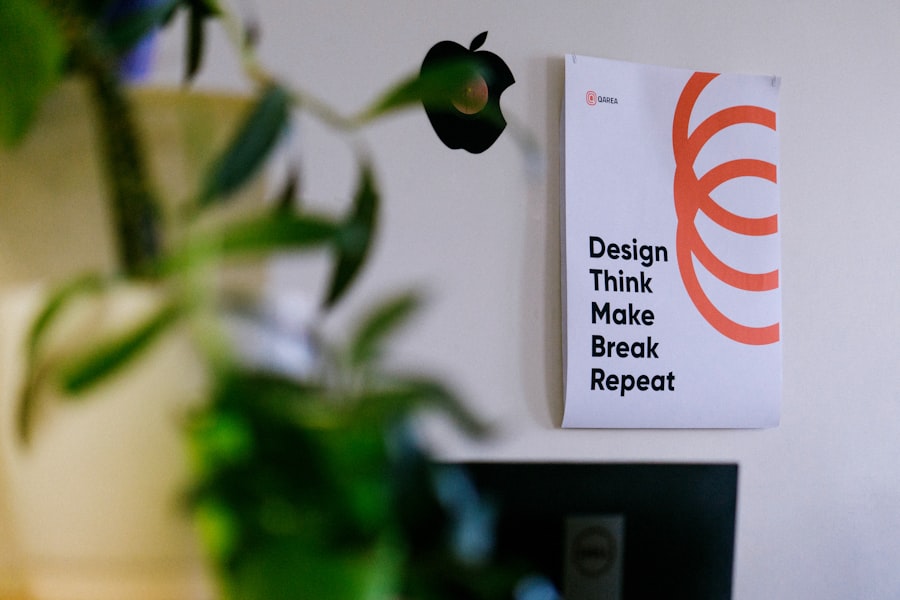
In the digital age, your devices are both potent tools and formidable adversaries in the fight for focus. Taming the digital beast is a critical component of creating a distraction-free space.
Managing Notifications and Digital Pathways
Every notification is a tiny, seductive siren, beckoning your attention away from your primary task. You must become the gatekeeper, controlling these digital ingress points.
Disabling Unessential Alerts
This is perhaps the single most impactful digital intervention you can make. Disable all non-critical notifications across your phone, computer, and even smartwatches. For truly urgent communications, designate specific channels or individuals who can bypass these restrictions.
Utilizing Focus Modes and Do Not Disturb Settings
Most operating systems and mobile devices offer robust “Focus Modes” or “Do Not Disturb” functionalities. These allow you to pre-configure periods during which only essential calls or notifications are permitted, effectively building a digital firewall around your workspace.
Leveraging Productivity Software and Browser Extensions
There is a vast ecosystem of digital tools designed to aid focus by blocking distractions or optimizing your digital environment.
Website Blockers and Time Management Apps
Install browser extensions that block access to distracting websites (e.g., social media, news sites) during designated work periods. Similarly, time management apps, such as the Pomodoro Technique timers, can help you structure your work intervals and remind you to take breaks, preventing burnout and promoting sustained focus.
Virtual Desktops and Workspace Separation
Utilize virtual desktops or multiple workspaces on your computer to separate different types of tasks. Dedicate one desktop solely to your deep work, free from the clutter of communication apps or entertainment tabs. This mental partitioning reinforces physical separation.
Establishing Rituals and Boundaries

A truly distraction-free space is not just about the physical or digital environment; it’s also about the routines and personal declarations you establish. Think of these as the invisible scaffolding that supports your focus.
The Power of Routine
Your brain thrives on predictability. Establishing consistent routines signals to your mind when it’s time to focus and when it’s appropriate to relax.
Pre-Work Preparation Rituals
Before you embark on deep work, engage in a brief, consistent ritual. This could be making a cup of tea, reviewing your task list, or performing a short mindfulness exercise. This ritual acts as a mental “on” switch, preparing your brain for concentrated effort.
Post-Work Transition Routines
Equally important are routines that signal the end of your focused work. This could involve tidying your workspace, reviewing your accomplishments, or planning for the next day. This helps your brain disengage and prevents work from spilling unbidden into your personal time.
Communicating Your Needs and Setting Expectations
You are not an island. Your environment often includes other people who, inadvertently, can become sources of distraction. Clear communication is your shield.
Informing Colleagues and Family
Proactively communicate your need for uninterrupted work periods to colleagues, family members, and anyone else who might typically interrupt you. Explain why you need this time (e.g., for complex problem-solving, creative tasks) to foster understanding and respect for your boundaries.
Utilizing “Do Not Disturb” Signage
A simple “Do Not Disturb” sign on your office door or desk, whether physical or digital, can be a surprisingly effective deterrent. It provides a visual cue that you are engaged in focused work and should only be interrupted in genuine emergencies.
Creating a distraction-free environment is essential for enhancing focus and productivity. One effective approach is to declutter your workspace, ensuring that only the items you need are within reach. Additionally, consider the impact of your surroundings on your concentration levels. For further insights on this topic, you can explore a related article that offers practical tips and strategies for designing a space that minimizes distractions. Check it out here to learn more about optimizing your environment for better productivity.
Conclusion
| Design Element | Recommended Practice | Impact on Distraction | Example Metrics |
|---|---|---|---|
| Lighting | Use natural light or soft, indirect lighting | Reduces eye strain and improves focus | Increase in focus duration by 20% |
| Noise Control | Incorporate soundproofing or white noise machines | Minimizes auditory distractions | Reduction in reported distractions by 35% |
| Clutter Management | Keep workspace organized and minimalistic | Decreases visual distractions and cognitive load | Improvement in task completion time by 15% |
| Color Scheme | Use calming colors like blue or green | Promotes relaxation and concentration | Increase in sustained attention by 10% |
| Ergonomics | Provide comfortable seating and desk setup | Reduces physical discomfort that can cause distraction | Decrease in breaks due to discomfort by 25% |
| Technology Management | Limit notifications and use focus apps | Reduces digital interruptions | Reduction in task switching by 40% |
| Personalization | Allow minimal personal items to increase comfort | Enhances emotional well-being and focus | Increase in reported satisfaction by 18% |
Creating a distraction-free space is an ongoing endeavor, a continuous refinement rather than a one-time fix. It demands a conscious effort to understand the nature of distractions, both external and internal, and a proactive strategy to mitigate their influence. By meticulously crafting your physical environment, digitally decluttering your tools, and establishing robust personal rituals and boundaries, you empower yourself to reclaim your attention. Your ability to sustain deep focus is a profound asset in an increasingly fragmented world – a quiet, potent rebellion against the ceaseless clamor. In cultivating this sanctuary, you are not merely eliminating noise; you are cultivating clarity, enhancing your cognitive capacity, and ultimately, unlocking your potential for profound accomplishment.
FAQs
What are the key elements of a distraction-free environment?
Key elements include minimal clutter, comfortable and ergonomic furniture, adequate lighting, noise control, and designated spaces for specific tasks to help maintain focus.
How can lighting affect concentration in a workspace?
Proper lighting, especially natural light, reduces eye strain and fatigue, enhancing concentration. Avoid harsh or flickering lights, and use adjustable lighting to suit different tasks.
What role does organization play in creating a distraction-free environment?
Organization helps reduce visual clutter and makes it easier to find necessary items quickly, minimizing interruptions and maintaining a smooth workflow.
How can noise be managed to improve focus?
Noise can be managed by using soundproofing materials, white noise machines, noise-canceling headphones, or creating quiet zones to reduce auditory distractions.
Why is it important to designate specific areas for different activities?
Designating areas for specific tasks helps the brain associate each space with a particular activity, improving focus and productivity by reducing the likelihood of multitasking and distractions.