To cultivate a deeper level of concentration, you need to construct pathways that funnel your mental energy towards your intended target, minimizing deviation and cognitive friction. These are your “one-tap paths” for focus, akin to the precisely engineered routes that guide a river to its sea, or the streamlined processes that allow a well-oiled machine to function flawlessly. This guide will outline the principles and practical applications for building these efficient conduits of attention.
Before you can build paths, you must understand the terrain you are navigating. The modern environment is a veritable jungle of stimuli, each vying for your limited attentional resources. Recognizing these potential derailments is the first step in preemptively creating clearings and established routes.
The Nature of External Distractions
External distractions are the most overt obstacles. They are the audible interruptions, the visual novelties, the pings and vibrations that constantly break the spell of concentration. Think of them as the sharp, unexpected rocks in your path that can send you sprawling.
Auditory Interruptions
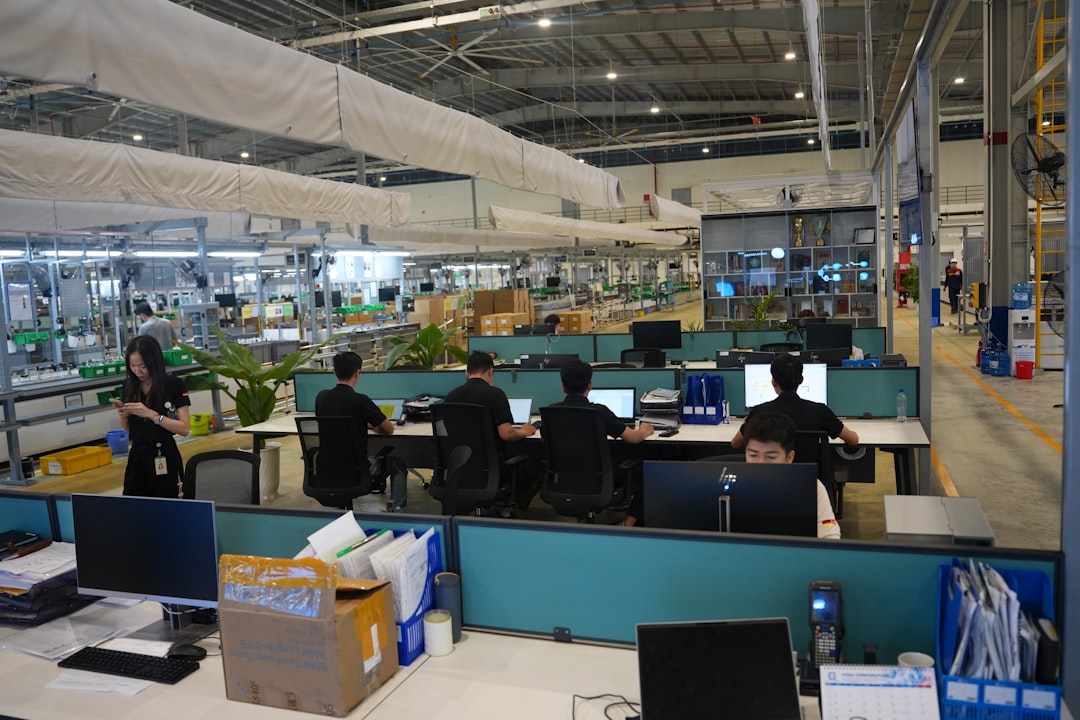
- Colleague conversations: The murmur of dialogue in an open-plan office can be a persistent hum of distraction.
- Notifications (digital): Sounds from your phone, computer, or wearable devices signal incoming information that demands immediate processing.
- Environmental noise: Traffic, construction, or even the hum of appliances can seep into your awareness.
- Sudden sounds: A dropped object, a door slamming, or a loud announcement can jolt you out of your cognitive flow.
Visual Interruptions
- Movement: Peripheral vision is highly sensitive to motion, making movement in your line of sight a potent distractor.
- Competing screens: Multiple open windows on your computer or the presence of television can fragment your visual attention.
- Clutter: A disorganized workspace can present a visual cacophony that taxes your cognitive load.
- Unexpected visitors: The sudden appearance of someone in your physical space can be a significant disruption.
The Subtle Sabotage of Internal Distractions
While external factors are evident, internal distractions are often more insidious. These are the thoughts, anxieties, and mental wanderings that pull you away from your task, even in the most silent and isolated environments. They are the internal monologues that can lead you down rabbit holes of rumination.
Cognitive Dissonance and Unresolved Thoughts
- Worry and rumination: Replaying past events or dwelling on future uncertainties can consume mental bandwidth.
- Task switching urges: The “itch” to check email, social media, or a news website, even when deeply engaged in another task.
- Novelty seeking: The inherent human drive to explore new information or stimuli, often at the expense of sustained focus.
- Creative tangents: While valuable, spontaneous creative leaps can pull you away from a predefined objective.
Physiological Factors
- Fatigue: A tired mind is a porous mind, easily penetrated by distractions.
- Hunger or thirst: Basic physiological needs can create persistent, low-level distractions.
- Discomfort: An ill-fitting chair, poor lighting, or an uncomfortable temperature can be constant, albeit subtle, annoyances.
- Stress: Elevated stress levels can lead to hypervigilance and a constant scanning for threats, hindering focused thought.
If you’re interested in enhancing user experience through streamlined navigation, you might find the article on creating one-tap paths for focus particularly useful. It provides insights into designing intuitive interfaces that allow users to engage with content effortlessly. For more information, you can read the article here: How to Create One Tap Paths for Focus.
Architecting Your Focused Environment
Once you have mapped the landscape of potential distractions, you can begin to design your environment to be a sanctuary of concentration, rather than a battleground. This phase involves the deliberate construction of physical and digital spaces that support, rather than hinder, your focus. Think of this as building the fortress walls of your attention.
Curating Your Physical Workspace
Your physical surroundings play a crucial role in dictating your mental state. A well-designed workspace can act as a powerful anchor, signaling to your brain that it is time to engage.
Location, Location, Concentration
- Dedicated Space: Ideally, designate a specific area solely for focused work. This could be a home office, a quiet corner of a library, or even a specific desk in a shared space. The act of migrating to this space should become a ritual that primes you for concentration.
- Minimizing Foot Traffic: If possible, choose a location with low foot traffic to reduce the likelihood of impromptu interruptions. This is about creating a buffer zone between your focused self and the chaotic currents of daily life.
- Controlling Auditory Input:
- Noise-canceling headphones: These are an essential tool for blocking out ambient noise, creating an auditory bubble.
- White noise or ambient sound machines: For some, specific types of background sound can mask distracting noises and create a consistent sonic environment.
- Soundproofing: If feasible, consider minor soundproofing measures for your workspace.
Visual Order and Stimulus Control
- Desk Decluttering: The principle of “a place for everything and everything in its place” is paramount. A clear desk reduces visual clutter, minimizing the cognitive load of processing extraneous visual information.
- Strategic Placement of Objects: Only essential items should be within your immediate field of vision. Personal items, if kept, should be arranged in a way that is aesthetically pleasing and non-distracting.
- Optimizing Lighting: Natural light is often preferred, but ensure it is not casting glare on your screen. Adequate, non-fluorescent lighting can reduce eye strain and improve alertness.
Taming the Digital Wild West
The digital realm presents a unique set of challenges, demanding a proactive approach to setting boundaries and streamlining interactions. Your digital devices are powerful tools, but unchecked, they can become potent agents of distraction, like untamed horses galloping in all directions.
Notification Management
- “Do Not Disturb” Mode: This is your primary weapon. Configure it to allow only essential contacts or apps to break through.
- Selective Notification Settings: Within individual apps, meticulously manage what triggers a notification. Do you truly need an alert for every social media like or email?
- Scheduled Check-ins: Instead of reacting to every ping, schedule specific times to check emails, social media, and other communication platforms. This creates predictable windows of engagement, rather than constant interruptions.
- Batching Digital Tasks: Group similar digital tasks together. For example, answer all emails at a dedicated time block, rather than scattering them throughout the day.
Application and Website Control
- Website Blockers: Utilize browser extensions or system-level tools to block distracting websites during designated focus periods. This acts like a digital fence, keeping you on the intended path.
- Minimizing Open Applications: Close all applications not directly related to your current task. The mere presence of an icon on your taskbar can be a subconscious temptation.
- Desktop Organization: A clean desktop with minimal icons can reduce visual clutter and the temptation to click on something alluring.
Cultivating Your Mental Toolkit

Beyond environmental controls, you must also equip yourself with internal strategies and habits that strengthen your ability to direct and sustain focus. This is about forging the internal compass and the sturdy oars that will navigate you through the choppy waters of distraction.
The Power of Mindfulness and Meditation
Mindfulness is the practice of paying attention in a particular way: on purpose, in the present moment, and non-judgmentally. It is a foundational skill for developing self-awareness and the ability to redirect your attention.
Basic Mindfulness Techniques
- Breath Awareness: Simply focusing on the sensation of your breath entering and leaving your body. When your mind wanders, gently guide it back to your breath. This is training your attentional muscle.
- Body Scan: Bringing awareness to different parts of your body, noticing any sensations without judgment. This grounds you in the present moment.
- Mindful Observation: Paying deliberate attention to everyday activities (e.g., eating, walking), noticing the sensory details.
Meditation for Focus
- Concentration Meditation: Focusing on a single point, such as a mantra, an object, or the breath. The goal is to sustain attention on that point.
- Vipassana Meditation: The practice of observing thoughts and feelings as they arise and pass, without attachment or aversion. This cultivates a detached awareness of your internal landscape.
- Metta Meditation (Loving-Kindness): While not directly for task focus, cultivating a positive emotional state can reduce underlying anxieties that fuel distraction.
Strategic Task Management
How you approach your work can significantly impact your ability to maintain focus. Breaking down large tasks and structuring your effort can create momentum and reduce cognitive overload.
The Art of Task Decomposition
- Breaking Down Large Projects: Large, amorphous tasks can feel overwhelming, making it easy to procrastinate or drift. Deconstruct them into smaller, manageable, and actionable steps. Each completed step is a marker on your path.
- Defining Clear Objectives for Each Step: For each small task, clearly articulate what success looks like. This provides a specific target for your attention.
- Prioritization Techniques: Employ methods like the Eisenhower Matrix or MoSCoW to ensure you are focusing your energy on the most important tasks.
Timeboxing and Pomodoro Technique
- Timeboxing: Allocating a fixed amount of time to a specific task. When the time is up, you stop or reassess. This creates artificial deadlines and a sense of urgency.
- The Pomodoro Technique: Working in focused bursts (typically 25 minutes) followed by short breaks (5 minutes). Longer breaks are taken after several Pomodoros. This leverages natural attention cycles and prevents burnout. This is like taking short, refreshing sips of water on a long journey.
Establishing Rituals for Seamless Transitions

Rituals are powerful tools for creating mental and behavioral cues that signal a shift in your state of mind. They are the well-worn gates that allow you to enter and exit your focus zone with minimal resistance.
Pre-Focus Routines
Your preparation before diving into a task is as important as the task itself. These routines act as a mental warm-up, preparing your cognitive engines for optimal performance.
Setting Intentions
- Visualizing Success: Spend a minute or two visualizing yourself successfully completing the task, the mental clarity you will experience, and the satisfaction of achievement.
- Stating Your Objective: Verbally or mentally state what you aim to accomplish during your focus session. This anchors your purpose.
- Reviewing Your Plan: Briefly review the steps you’ve broken down or the immediate objective for this session.
Physical and Mental Priming
- Hydration and Nutrition: Ensure you are adequately hydrated and have a light, healthy snack if needed. Addressing basic physical needs preempts physiological distractions.
- Light Physical Activity: A short walk or stretching can improve blood flow and alertness, preparing your body and mind.
- A Moment of Quiet: Before engaging, take a few deep breaths or a moment of silent contemplation to ground yourself.
Post-Focus Transitions
The end of a focus session is not an arbitrary stopping point; it’s a transition that requires mindful management to prevent the dissipation of your hard-won concentration.
Review and Reset
- Summarizing Accomplishments: Briefly note what you have achieved during your focus period. This reinforces positive behavior and provides a sense of progress.
- Planning the Next Steps: If the task is ongoing, outline what you will tackle in the next focus session. This creates continuity and reduces the mental friction of starting anew.
- Organizing Your Workspace: A quick tidy-up of your immediate area can provide a sense of closure and prepare for your next task, whether it’s focused work or something else.
Re-engagement with the Outside World
- Scheduled Break Activities: Plan what you will do during your breaks. This could be a short walk, a stretch, or a brief conversation. Having a planned activity prevents aimless wandering.
- Mindful Re-entry: When transitioning back to more open environments or communication, do so consciously. Avoid immediately plunging into a torrent of emails or social media.
Creating one tap paths for focus can significantly enhance productivity by streamlining the decision-making process. For those interested in exploring this concept further, a related article provides valuable insights and practical tips on implementing these efficient pathways. You can read more about it in this informative piece on productive strategies that can transform your daily routines. By understanding how to design these paths effectively, you can minimize distractions and maintain a clearer focus on your tasks.
Sustaining Focus Through Adaptability and Self-Awareness
| Step | Action | Purpose | Key Metrics | Tools/Techniques |
|---|---|---|---|---|
| 1 | Identify Primary Goal | Define the main focus or task for the user | Clarity of goal, User intent alignment | User research, Surveys, Interviews |
| 2 | Map User Journey | Outline steps users take to reach the goal | Number of steps, Drop-off points | Flowcharts, Journey mapping tools |
| 3 | Simplify Steps | Reduce steps to a single tap or minimal actions | Average taps per task, Time to complete | UX design principles, Prototyping |
| 4 | Design Clear Call-to-Action (CTA) | Make the tap target obvious and accessible | CTA visibility, Tap accuracy rate | UI design, A/B testing |
| 5 | Test and Iterate | Validate one-tap path effectiveness with users | Success rate, User satisfaction, Error rate | User testing, Analytics, Heatmaps |
| 6 | Implement Feedback | Refine path based on user data and feedback | Improvement in metrics post-iteration | Continuous integration, Agile methodology |
Creating one-tap paths is not a static endeavor; it is an ongoing process of refinement and adaptation. Your understanding of yourself and your environment will evolve, requiring you to adjust your strategies accordingly. This is akin to a skilled navigator constantly adjusting their course based on changing winds and currents.
The Importance of Self-Monitoring
Regularly checking in with yourself is crucial for identifying when your established paths are becoming less effective or when new obstacles are emerging.
Recognizing Attention Drift
- Internal Cues: Become attuned to the subtle signs that your mind is wandering – the urge to check your phone, a feeling of restlessness, or a loss of engagement with the task.
- External Cues: Notice if you are repeatedly being interrupted or if your environment is becoming more distracting.
Analyzing Interruption Patterns
- Journaling: Keep a brief log of your distractions and interruptions. This can reveal patterns and common triggers.
- Time Tracking: Using time-tracking tools can provide objective data on how your time is being spent and where it is being lost.
Adapting Your Strategies
The ability to adapt is what separates a rigid system from a resilient one.
Iterative Improvement
- Experimentation: Don’t be afraid to try different techniques and tools. What works for one person may not work for another, and what works for you today may need tweaking tomorrow.
- Seeking Feedback (Internal and External): Pay attention to how effective your strategies are and solicit feedback from trusted colleagues or mentors if appropriate.
Embracing Flexibility
- Recognizing “Good Enough”: Perfection is the enemy of progress. Sometimes, a slightly less-than-ideal focus session is still more productive than no session at all.
- The Importance of Rest and Recovery: Understand that sustained focus requires periods of rest and recovery. Pushing yourself too hard without breaks will ultimately diminish your ability to focus. Your mental engine needs to be refueled.
By consciously designing your environment, cultivating your internal resources, establishing supportive rituals, and maintaining a commitment to self-awareness and adaptation, you can forge robust, one-tap paths to enhanced concentration, allowing you to navigate the complexities of your work and life with greater clarity and effectiveness.
WATCH NOW ▶️ STOP Your Mental Drain: The 24-Hour Decision Reset
FAQs
What are one tap paths for focus?
One tap paths for focus are streamlined navigation routes designed to help users quickly access specific content or features with a single tap, enhancing usability and reducing the number of steps needed to reach a desired destination.
Why is creating one tap paths important for user experience?
Creating one tap paths improves user experience by minimizing effort and time required to navigate an interface, making it more intuitive and efficient, which can lead to higher user satisfaction and engagement.
What are the key steps to create one tap paths for focus?
Key steps include identifying the most frequently accessed features or content, designing clear and accessible navigation elements, minimizing intermediate steps, and testing the paths to ensure they are intuitive and effective for users.
Which tools or platforms can help in designing one tap paths?
Design and prototyping tools like Figma, Adobe XD, and Sketch can help create and visualize one tap paths. Additionally, user analytics platforms can provide insights into user behavior to inform path optimization.
How can one test the effectiveness of one tap paths?
Effectiveness can be tested through usability testing, A/B testing, and gathering user feedback to assess how easily users can navigate using the one tap paths and whether these paths improve task completion times and satisfaction.