
You are confronted daily with a deluge of information and tasks, a digital landscape teeming with distractions and opportunities. To navigate this complex environment efficiently, you require a robust framework for maximizing your digital productivity. This article outlines effective strategies, offering a systematic approach to optimize your workflow and achieve your objectives. Consider your digital workspace not as a chaotic bazaar, but as a finely tuned engine, each component playing a crucial role in its overall performance.
Your digital environment is the bedrock upon which your productivity rests. Just as a gardener carefully prepares the soil, you must cultivate a digital space conducive to concentrated work.
A. Minimizing Digital Distractions
Distractions are the insidious weeds that choke productivity. You must actively identify and eradicate them.
1. Notification Management
Notifications, while seemingly innocuous, are often the primary culprits in disrupting your flow state. They operate like tiny, insistent taps on your shoulder, each one pulling your attention away from the task at hand.
- Strategic Disabling: Implement a policy of disabling all non-essential notifications. This includes social media alerts, news updates, and even most email notifications. Consider a “do not disturb” schedule that aligns with your peak productivity hours.
- Batching Notifications: Instead of responding to every ping immediately, allocate specific times of the day to review and respond to notifications. Think of this as opening a mailbag only a few times a day, rather than perusing each letter as it arrives.
2. Tab and Window Management
An overwhelming number of open tabs and windows can create a cognitive burden, akin to trying to read multiple books simultaneously.
- Contextual Grouping: Group related tabs together. Utilize browser features like tab groups or dedicated workspaces to categorize your open windows by project or task.
- “One Tab Per Task” Principle: Endeavor to maintain a minimalist approach. When working on a specific task, try to have only the necessary tabs open. Close all others to reduce visual clutter and mental overhead.
- Session Managers: Employ browser extensions or built-in features that allow you to save and restore sets of tabs. This is particularly useful for re-establishing your work environment after a break or when switching between projects.
B. Optimizing Your Digital Workspace Layout
The physical arrangement of your desk influences your physical comfort, and similarly, the logical arrangement of your digital workspace impacts your mental comfort and efficiency.
1. Desktop and Folder Organization
A cluttered desktop is a symbol of disorganization. It’s like trying to find a specific tool in a workshop where everything is strewn about.
- Categorical Filing: Implement a consistent and logical folder structure. Categorize files by project, client, date, or type. Utilize subfolders to create a hierarchical system that allows for easy retrieval. For example, a “Projects” folder might contain subfolders for “Project A,” “Project B,” and so on, each with further subfolders for “Documents,” “Research,” and “Communications.”
- Consistent Naming Conventions: Adopt clear and consistent naming conventions for your files. This eliminates ambiguity and makes searching more efficient. Instead of “document.docx,” use “ProjectA_MeetingNotes_2023-10-26.docx.”
- Regular Decluttering: Schedule regular intervals for digital decluttering. Archive old files, delete duplicates, and reorganize misplaced items. This proactive approach prevents the accumulation of digital debris.
2. Application and Software Configuration
Your tools should serve you, not the other way around. Configure your applications to support your workflow.
- Custom Keybindings and Shortcuts: Invest time in learning and customizing keyboard shortcuts for your most frequently used applications. The few seconds saved per action accumulate into significant time gains over a workday. This is akin to a skilled artisan knowing the exact placement of every tool without looking.
- Personalized Settings: Adjust application settings to suit your preferences and workflow. This might include font sizes, theme colors, default saving locations, and notification behaviors.
- Consolidation of Tools: Evaluate your software stack periodically. Are you using multiple tools that perform similar functions? Consolidate where possible to streamline your workflow and reduce context switching.
In the quest for better digital productivity, one insightful resource is the article found at Productive Patty, which outlines effective strategies and tools to enhance your workflow. This article delves into various techniques that can help individuals and teams streamline their tasks, manage their time more efficiently, and ultimately boost overall productivity in a digital environment. By implementing the tips shared in this resource, readers can cultivate habits that lead to greater focus and efficiency in their daily activities.
II. Mastering Digital Task Management
The effective management of tasks is the circulatory system of your digital productivity. Without it, your efforts can become disparate and unfocused.
A. Implementing a Robust Task Management System
A reliable task management system acts as your external brain, helping you track commitments and prioritize actions.
1. Choosing the Right Tool
The market offers a plethora of task management solutions, from simple to-do lists to complex project management platforms. Your choice should align with your specific needs and preferences.
- Considerations: Evaluate tools based on factors such as ease of use, integration capabilities with other applications, offline access, collaboration features, and cost. Examples range from simple lists in apps like Apple Reminders or Google Tasks to more comprehensive platforms like Todoist, Trello, Asana, or ClickUp.
- Scalability: Consider whether the tool can scale with the complexity of your projects. A system that works for personal tasks might be insufficient for managing a team.
2. Principles of Effective Task Entry
The way you enter tasks significantly impacts their clarity and actionability.
- Specificity: Tasks should be unambiguous. Instead of “Work on report,” specify “Draft introduction for Q4 sales report.”
- Action Verbs: Begin tasks with action verbs to make them more directive. “Write,” “Review,” “Call,” “Schedule.”
- Contextual Information: Include relevant context, such as deadlines, associated projects, or required resources.
- Regular Review: Periodically review your task list to ensure it remains current and relevant. This helps in re-prioritizing and pruning tasks that are no longer necessary.
B. Prioritization and Workflow Optimization
Not all tasks are created equal. Effective prioritization is the compass that guides your efforts towards the most impactful activities.
1. Prioritization Frameworks
Various frameworks can assist you in discerning the most critical tasks.
- Eisenhower Matrix: Categorize tasks into “Urgent/Important,” “Important/Not Urgent,” “Urgent/Not Important,” and “Not Urgent/Not Important.” This framework helps you focus on high-impact activities and delegate or eliminate less critical ones.
- ABCDE Method: Assign an A, B, C, D, or E to each task based on its importance, with A being the most critical and E being tasks to eliminate. This forces a hierarchical ranking of your responsibilities.
- Value-Based Prioritization: Assess the potential value or impact of completing each task. Focus on tasks that deliver the most significant results for your goals. This is akin to investing your time in high-yield assets.
2. Workflow Automation
Automation can significantly streamline repetitive tasks, freeing up your mental bandwidth for more complex work.
- Macro and Scripting: For highly repetitive actions within applications, explore using macros or scripting capabilities. Many software packages offer built-in automation features.
- IFTTT or Zapier: Utilize services like IFTTT (If This Then That) or Zapier to connect different applications and automate workflows. For example, you could automatically save email attachments to a cloud storage service or create a task in your task manager from a starred email.
- Email Rules and Filters: Configure email rules to automatically sort, label, or archive incoming messages, reducing inbox clutter and saving time.
III. Leveraging Digital Tools for Collaboration and Communication
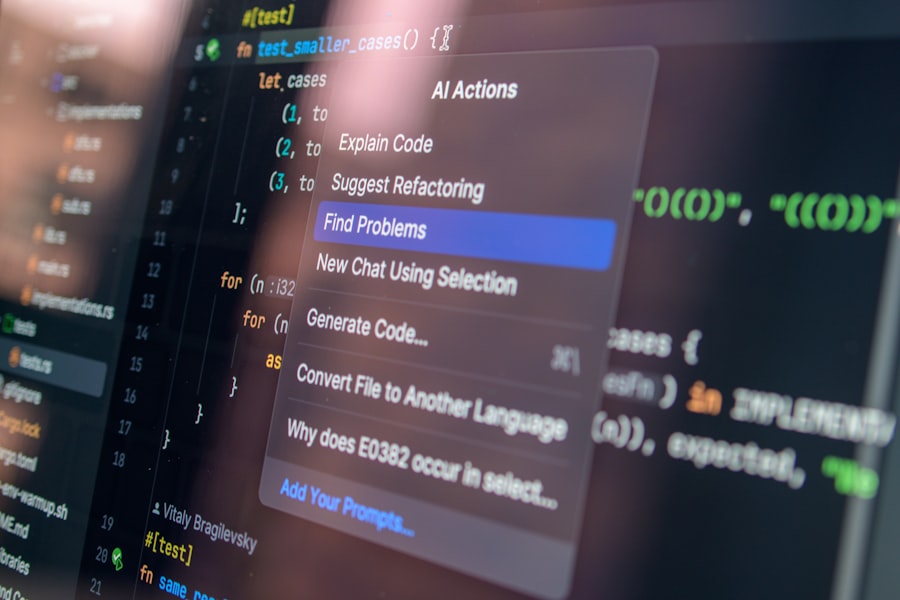
In an interconnected world, effective collaboration and communication are paramount. Digital tools serve as the highways for these interactions.
A. Streamlining Digital Communication
Poor communication can be a significant bottleneck in productivity. You must ensure your digital interactions are crystal clear and efficient.
1. Effective Email Management
Email, while still a cornerstone of digital communication, can rapidly become an overwhelming vortex if not managed strategically.
- “Inbox Zero” Philosophy (or Adaptations): Aim to process your inbox regularly, either by deleting, archiving, responding, or converting emails into tasks. While a literal “inbox zero” might not always be achievable, the underlying principle of processing means that your inbox serves as a temporary holding area, not a permanent storage solution.
- Brevity and Clarity: When composing emails, strive for conciseness and clarity. Get straight to the point and provide all necessary information without extraneous details. Imagine each email as a concise telegram, delivering vital information without unnecessary fluff.
- Template Utilization: For frequently sent emails or recurring inquiries, create and utilize templates. This saves time and ensures consistency in your communication.
2. Optimizing Instant Messaging and Video Conferencing
Instant messaging and video conferencing have become ubiquitous but require careful management to avoid disruption.
- Channel Etiquette: Establish and adhere to clear communication protocols for different channels. What information belongs in a quick chat message versus a more formal email or project management tool?
- Scheduled Meetings: For video conferences, ensure a clear agenda is set and adhered to. Allocate specific time for discussion points and decision-making. Treat online meetings with the same respect and structure as in-person ones.
- Asynchronous Communication: Embrace asynchronous communication where appropriate. Instead of immediate back-and-forth, allow for thoughtful responses, reducing the pressure for instant replies and freeing up participants’ schedules.
B. Enhancing Collaborative Workflows
Digital collaboration tools have transformed how teams work together, but their effective utilization requires intentionality.
1. Shared Document Management
Collaborating on documents requires systems that ensure version control and easy access.
- Cloud-Based Platforms: Utilize cloud-based document creation and storage platforms (e.g., Google Workspace, Microsoft 365, Dropbox Paper). These platforms provide real-time co-editing, version history, and centralized access.
- Clear Permissions: Establish clear access and editing permissions for shared documents to prevent accidental changes or unauthorized access.
- Comment and Suggestion Features: Leverage comment and suggestion features within collaborative documents for feedback and revisions, rather than disjointed email chains.
2. Project Management Platforms
For complex projects involving multiple stakeholders, dedicated project management platforms are indispensable.
- Centralized Information: These platforms serve as a single source of truth for project information, including tasks, deadlines, files, and communication. Examples include Jira, Asana, Trello, and Monday.com.
- Task Assignment and Tracking: Clearly assign tasks, set deadlines, and track progress within the platform. This provides transparency and accountability for all team members.
- Reporting and Analytics: Utilize the reporting features of these platforms to gain insights into project progress, identify bottlenecks, and inform future planning.
IV. Strategic Information Management

The sheer volume of digital information necessitates effective strategies for its organization, retrieval, and synthesis.
A. Developing a Personal Knowledge Management System (PKMS)
Your personal knowledge management system is your digital library, where you store, organize, and retrieve information relevant to your work and interests.
1. Note-Taking and Archiving Tools
Choosing the right tools for capturing and organizing information is crucial.
- Digital Notebooks: Utilize tools like Evernote, OneNote, or Notion to create comprehensive digital notebooks. These platforms often support various media types (text, images, audio) and offer robust search capabilities.
- Tagging and Categorization: Implement a consistent tagging and categorization system to make notes easily discoverable. Think of tags as keywords that allow you to cross-reference information across different notebooks.
- Interlinking Notes: Where possible, leverage features that allow you to link notes together, creating a web of interconnected knowledge that mirrors the complexity of your understanding.
2. Information Retrieval Strategies
A well-organized system is useless if you cannot find the information you need.
- Powerful Search Functions: Familiarize yourself with the advanced search features of your chosen tools and operating system. Learn to use operators, filters, and keyword combinations to narrow down your searches.
- Regular Review and Curation: Periodically review your knowledge base. Delete outdated information, consolidate redundant notes, and refine your organizational structure. This ongoing curation prevents your PKMS from becoming a digital junkyard.
- “Second Brain” Concept: Embrace the concept of an “external brain” – an organized system for capturing, organizing, and retrieving information so that your mental energy can be focused on deep work and creative problem-solving rather than remembering details.
B. Leveraging Digital Resources and Learning Platforms
The digital realm offers unprecedented access to information and learning opportunities. You must strategically tap into these resources.
1. Curating Online Learning Resources
Your digital learning journey should be intentional, not reactive.
- Focused Learning Paths: Instead of aimlessly browsing, identify specific skills or knowledge areas you wish to develop. Seek out structured courses, tutorials, or specialized articles.
- RSS Feeds and Newsletters: Subscribe to RSS feeds of relevant blogs and websites, and specialized newsletters to stay updated on industry trends and developments without constantly checking individual sites.
- Offline Access: Download relevant articles, videos, or course materials for offline consumption, allowing you to learn during commutes or in environments without internet access.
2. Utilizing Search Engines Effectively
Search engines are powerful tools, but their true potential is unlocked through strategic usage.
- Advanced Search Operators: Learn to use specific search operators (e.g., site:, filetype:, quotation marks for exact phrases, minus signs for exclusions) to refine your search queries and retrieve more precise results.
- Evaluating Source Credibility: Develop a critical eye for evaluating the credibility of online sources. Consider the author, publication, date, and supporting evidence.
- Setting Up Search Alerts: Use tools like Google Alerts to receive notifications when new content matching your specified keywords appears online, keeping you abreast of developments in your areas of interest.
In the quest for enhanced digital productivity, many individuals and teams are seeking effective strategies to optimize their workflows. A related article that delves into practical tips and techniques can be found at Productive Patty, where readers can explore various methods to streamline their daily tasks and improve overall efficiency. By implementing these insights, one can significantly boost their productivity and manage their time more effectively in today’s fast-paced digital environment.
V. Implementing Digital Wellness and Sustainability
| Metric | Description | Impact on Digital Productivity | Measurement Method |
|---|---|---|---|
| Outline Completion Time | Time taken to create a structured paper outline | Shorter times indicate efficient planning, leading to faster digital content creation | Stopwatch or digital timer during outlining session |
| Outline Revision Frequency | Number of times the outline is revised before finalizing | Moderate revisions improve clarity; excessive revisions may reduce productivity | Version control logs or manual count of outline edits |
| Task Completion Rate | Percentage of outlined tasks completed within a set timeframe | Higher rates reflect better adherence to the outline and improved productivity | Project management tools or checklist tracking |
| Distraction Reduction | Decrease in interruptions during outlining sessions | Fewer distractions correlate with higher focus and productivity | Self-reported logs or focus tracking apps |
| Digital Tool Utilization | Use of digital outlining tools (e.g., mind maps, note apps) | Effective tool use can streamline outlining and improve workflow | Software usage analytics or user surveys |
| Content Quality Score | Assessment of final paper quality based on clarity and organization | Better outlines typically lead to higher quality digital content | Peer review or automated content analysis tools |
Productivity is not merely about output; it’s also about sustaining that output without leading to burnout. Your digital practices must integrate principles of wellness and sustainability.
A. Managing Digital Fatigue and Burnout
The constant engagement with screens can lead to cognitive overload and physical strain. You must proactively manage these risks.
1. Scheduled Digital Breaks
Regular breaks are not a luxury but a necessity for sustained focus.
- The Pomodoro Technique: Work in focused bursts (e.g., 25 minutes) followed by short breaks (e.g., 5 minutes). After several cycles, take a longer break. This technique trains your mind to concentrate and provides opportunities for mental rejuvenation.
- Micro-Breaks: Even short breaks of 1-2 minutes, where you look away from your screen, stretch, or stand up, can help prevent eye strain and stiffness.
- Physical Activity: Integrate physical activity into your routine. A brisk walk or a few minutes of exercise can help clear your head and re-energize your body.
2. Digital Detoxification Habits
Occasionally unplugging from the digital world is essential for mental clarity and well-being.
- Designated “No-Screen” Times: Establish periods during your day or week where you intentionally disengage from all digital devices. This might be during meals, before bedtime, or on weekends.
- Mindful Device Usage: Practice mindful engagement. Before reflexively checking your phone or email, consider if it’s truly necessary or just a habit.
- Recreational Analog Activities: Engage in hobbies and activities that do not involve screens. Read a physical book, pursue a craft, spend time in nature, or socialize in person.
B. Cultivating Digital Mindfulness and Intentionality
Approaching your digital interactions with intentionality transforms passive consumption into active, purposeful engagement.
1. Setting Digital Boundaries
Boundaries are crucial for protecting your time and attention from the incessant demands of the digital world.
- Defined Work Hours: Establish clear start and end times for your workday and adhere to them as much as possible. Avoid the blurring of lines between professional and personal time.
- Communication Protocols: Communicate your availability and response times to colleagues and clients. This manages expectations and reduces the pressure for instant replies.
- “Deep Work” Blocks: Schedule dedicated blocks of time for “deep work” – focused, uninterrupted periods where you tackle your most important tasks. During these times, minimize all potential distractions.
2. Regular Self-Assessment and Adaptation
Your digital productivity journey is not static; it requires continuous evaluation and adjustment.
- Productivity Audits: Periodically assess your digital habits and tools. What’s working well? What are the persistent bottlenecks? Are there new tools or strategies that could improve your workflow?
- Feedback Loops: Solicit feedback on your communication and collaboration practices from colleagues. A third-party perspective can offer valuable insights.
- Embracing Iteration: View your productivity system as a living document. Be open to experimenting with new approaches and discarding those that don’t yield positive results. This iterative process is the hallmark of continuous improvement.
By systematically applying these strategies, you can transform your digital interaction from a source of overwhelm into a finely tuned instrument for achieving your goals. Your digital life, rather than being a drain on your energy, can become a powerful leverage point for sustained productivity and personal fulfillment.

STOP Your Dopamine Drain: The 24-Hour Reset
FAQs
What is paper outlining in the context of digital productivity?
Paper outlining refers to the practice of creating a structured framework or plan on paper before starting a digital project or task. It helps organize ideas, prioritize tasks, and clarify objectives, which can enhance focus and efficiency when working digitally.
How does paper outlining improve digital productivity?
By outlining on paper first, individuals can visually map out their thoughts and workflows, reducing digital distractions. This preliminary step aids in better planning, minimizes errors, and streamlines the execution of tasks on digital platforms, ultimately boosting productivity.
What tools are recommended for effective paper outlining?
Common tools for paper outlining include notebooks, index cards, bullet journals, and printed templates. Using pens, pencils, or markers to highlight and categorize information can also enhance clarity and organization during the outlining process.
Can paper outlining be integrated with digital tools?
Yes, paper outlines can be digitized by scanning or photographing them and importing into digital note-taking apps or project management software. This hybrid approach combines the tactile benefits of paper with the flexibility and accessibility of digital tools.
Who can benefit most from using paper outlining for digital productivity?
Students, writers, project managers, and professionals who handle complex tasks or creative projects can benefit significantly. Paper outlining helps these users break down large tasks into manageable parts, leading to improved focus and more efficient digital work sessions.