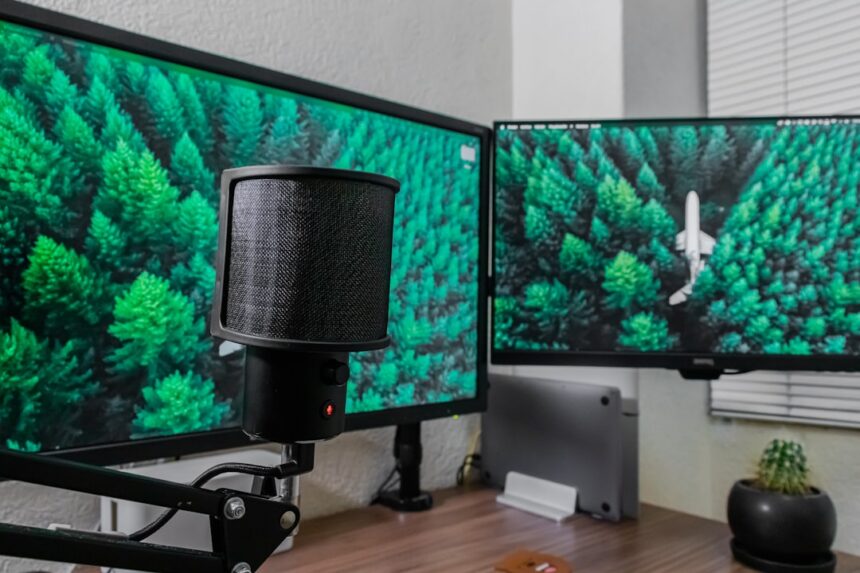
You’ve likely encountered them in professional workspaces and gaming setups: the ultra-wide monitors. These panoramic displays, boasting aspect ratios often exceeding 21:9, are designed to offer an expansive visual field. They promise enhanced immersion, greater multitasking capabilities, and a seemingly seamless viewing experience. However, as you spend prolonged periods with your eyes darting across such a vast expanse, you might start to notice a specific kind of strain – saccade fatigue. This article delves into the impact of ultra-wide monitors on your saccadic eye movements and the potential consequences for your visual comfort.
Before considering the impact of ultra-wide monitors, it’s crucial to understand what saccades are and why they are fundamental to your vision.
The Nature of Saccades
Saccades are rapid, ballistic movements of the eyes. They are not smooth pursuits; instead, they are quick jumps from one fixation point to another. Think of reading: your eyes don’t glide smoothly across the text. They fixate on a word or a short phrase, then rapidly jump to the next. This process repeats, creating the illusion of continuous vision despite the intermittent nature of visual processing.
The Role of Saccades in Visual Perception
Your visual system processes information most effectively during periods of fixation. When your eyes jump in a saccade, visual input is largely suppressed, a phenomenon known as saccadic suppression. This suppression prevents the blur of movement from interfering with perception. Upon reaching the new fixation point, your brain processes the information, building your understanding of the scene. Saccades are therefore essential for detailed analysis of your environment.
Factors Influencing Saccade Characteristics
Several factors influence how your eyes move during saccades. The distance between fixation points is a primary determinant of the speed and amplitude of a saccade. Larger distances require faster and more pronounced movements. The complexity of the visual scene also plays a role. If you’re scanning a cluttered environment, your saccades might be more frequent and less predictable than when you’re focusing on a simple image. Your individual visual acuity and neurological processing speed naturally influence the efficiency of your saccadic system.
Common Saccadic Tasks
You engage in saccadic eye movements constantly throughout your day.
Reading and Text Comprehension
When you read, your eyes make numerous small saccades, primarily moving from left to right (in Western languages). The length of these saccades varies depending on the line length and your reading habits, but they are the fundamental mechanism enabling you to process the text.
Scene Exploration and Object Recognition
When you explore a new environment, your eyes rapidly shift to gather information about different objects and features. These saccades are often more exploratory and can be of varying amplitudes as you take in the overall scene.
Gaming and Interactive Media
Fast-paced video games often demand extremely rapid and precise saccadic movements as you track enemies, react to on-screen events, and scan the environment for objectives. The need for quick target acquisition makes efficient saccades critical.
Recent studies have indicated that ultra-wide monitors can contribute to saccade fatigue, a condition characterized by eye strain and discomfort due to rapid eye movements. This phenomenon is particularly relevant for individuals who frequently switch their gaze across expansive screens, leading to increased visual demands. For more insights on this topic, you can read the article that explores the relationship between monitor size and eye fatigue at Productive Patty. Understanding these effects is crucial for optimizing workspace ergonomics and enhancing productivity.
The Expansive Visual Field of Ultra-Wide Monitors
Ultra-wide monitors, by their very design, present a significantly larger visual canvas than traditional displays. This expansiveness is their primary selling point but also introduces a new set of considerations for your visual system.
Increased Horizontal Resolution
The most striking feature of an ultra-wide monitor is its extended horizontal dimension. This means you can fit more content side-by-side, offering advantages for multitasking, content creation, and immersive entertainment.
The Panoramas You Encounter
Consider what you actually see on an ultra-wide screen.
Multitasking Scenarios
You might have multiple application windows open, spread across the vast display. This requires your eyes to frequently shift focus between different areas of the screen, often with significant horizontal displacement.
Cinematic Content and Gaming Immersion
Many films and games are now produced with ultra-wide aspect ratios, designed to fill your peripheral vision. This creates a sense of envelopment but also means your gaze needs to traverse a much wider field to track on-screen action.
Creative Workflows
For designers, video editors, and programmers, the extra screen real estate can be invaluable for managing complex timelines, code editors, or design canvases. However, this also translates to a larger area your eyes need to scan.
The Magnitude of Visual Span
The physical distance your eyes need to cover is directly related to the width of the screen and the distance between the elements you are focusing on. On an ultra-wide monitor, the horizontal distance you might need to traverse between two points of interest can be substantially greater than on a standard monitor.
The Mechanics of Saccade Fatigue on Ultra-Wide Displays

The increased visual span presented by ultra-wide monitors directly interacts with the mechanics of your saccadic eye movements, potentially leading to fatigue.
Extended Horizontal Traverse
When you shift your gaze from the far left of an ultra-wide screen to the far right, your eyes are executing a saccade of a considerably larger amplitude than they would on a standard monitor. These larger saccades require more muscular effort and a more complex neural command.
Increased Frequency of Saccades
In many scenarios, especially when multitasking or engaging with dynamic content, the sheer expanse of the ultra-wide display can necessitate a higher frequency of saccades. You aren’t just scanning a wider area; you might be making more frequent jumps to switch between tasks or track fast-moving objects.
The Role of Convergence and Divergence
While saccades are about rapid shifts, your eye muscles are also involved in convergence and divergence – the inward and outward turning of the eyes to focus on objects at different distances. On an ultra-wide monitor, maintaining focus as you scan across a wide plane may involve subtle shifts in convergence, adding another layer of muscular demand.
Neural Processing Load
Each saccade involves intricate neural pathways. When you increase the amplitude and frequency of saccades, you are essentially increasing the demand on these neural systems. This sustained high demand can contribute to a feeling of mental exhaustion, often manifesting as eye strain.
Symptoms and Contributing Factors to Saccade Fatigue
The strain on your eyes and the underlying neurological processes can manifest in several ways, often described as digital eye strain or computer vision syndrome.
Ocular Discomfort and Aching
A common symptom is a dull ache or general discomfort in and around your eyes. This isn’t necessarily about the clarity of your vision but the strain of sustained muscular effort.
Blurred Vision and Difficulty Focusing
As your eye muscles tire, they may struggle to maintain proper focus. You might experience temporary blurred vision, especially when shifting focus between different distances or after prolonged screen use. This can also make it harder to refocus quickly on new targets.
Headaches and Migraines
The strain on your extraocular muscles and the constant neural signaling involved in saccades can radiate outwards, contributing to tension headaches or even migraines for some individuals. This is a systemic response to prolonged visual exertion.
Dry Eyes and Irritation
When you’re engrossed in tasks on an ultra-wide monitor, you tend to blink less frequently. This can lead to dry eyes, irritation, and a gritty sensation. The increased effort of saccades might exacerbate this by making you less aware of your natural blinking reflex.
Reduced Blinking Rate
Your blink rate naturally decreases when you are focused, and this tendency is amplified when engaged with dynamic or highly demanding visual content on large displays. Saccades themselves, being rapid movements, interrupt the continuous visual input you’d get from regular blinking.
Incomplete Blinks
Beyond a reduced frequency, the blinks you do perform might become shallower and less effective. This means your eyes don’t get the full lubrication and refreshment they need, leading to dryness and discomfort.
Dizziness and Nausea (in extreme cases)
While less common, some individuals may experience dizziness or even mild nausea due to prolonged visual exertion, especially if they have underlying susceptibility to motion sickness or vestibular issues that are triggered by intense visual tracking.
The Cumulative Effect of Prolonged Use
It’s not just about individual saccades. The impact is cumulative. The longer you spend using an ultra-wide monitor without breaks, the more pronounced these symptoms are likely to become. This is because your eye muscles and neural pathways don’t have sufficient time to recover.
Recent studies have highlighted the impact of ultra-wide monitors on visual comfort, particularly in relation to saccade fatigue, which is the result of rapid eye movements between fixation points. This phenomenon can lead to discomfort and decreased productivity, especially during extended periods of screen time. For those interested in exploring this topic further, an insightful article can be found at Productive Patty, where the effects of monitor size on eye strain and overall productivity are discussed in detail. Understanding these implications can help users make informed decisions about their workspace setup.
Strategies for Mitigating Saccade Fatigue
| Reasons | Effects |
|---|---|
| Excessive eye movement | Causes strain on the eye muscles |
| Constant shifting of focus | Leads to saccadic fatigue |
| Increased cognitive load | Results in mental fatigue |
| Difficulty in maintaining visual attention | Can lead to decreased productivity |
Fortunately, there are practical steps you can take to reduce the risk and severity of saccade fatigue when using ultra-wide monitors.
Implement the 20-20-20 Rule
This is a cornerstone of reducing digital eye strain. Every 20 minutes, look at something 20 feet away for at least 20 seconds. This forces your eyes to shift focus to a more distant point, allowing your eye muscles to relax and reducing the constant demand for near-work focusing and rapid horizontal saccades.
Optimize Monitor Placement and Ergonomics
Adjusting Screen Distance and Height
The distance between your eyes and the monitor, as well as its height, are critical.
Optimal Viewing Distance
You should be positioned far enough from the screen so that your entire field of view on the monitor falls within comfortable peripheral vision without requiring excessive head or eye movement. For ultra-wide monitors, this often means you need to sit further back than you might with a standard screen.
Monitor Height and Angle
Ensure the top of your monitor is at or slightly below eye level. This promotes better posture and reduces strain on your neck and eyes. Tilting the monitor slightly upwards can also help, depending on your desk setup.
Incorporate Regular Breaks
Beyond the 20-20-20 rule, taking longer, more substantial breaks is vital.
Short Breaks
Stand up, walk around, or do some gentle stretching. This allows for a complete break from screen stimuli and helps to improve circulation.
Longer Breaks
If you’re working or gaming for extended periods, schedule at least a 10-15 minute break every hour or two. This allows your visual system to fully recover.
Consider Display Settings and Content Formatting
Adjusting Brightness and Contrast
Ensuring your monitor’s brightness and contrast are set appropriately for your ambient lighting conditions can significantly reduce eye strain. A screen that is too bright or too dim requires more effort from your eyes to perceive information.
Font Size and Readability
When reading text on an ultra-wide monitor, ensure the font size is large enough for comfortable reading without needing to squint or strain. This isn’t just about aesthetics; it directly impacts the effort required for your saccadic movements during reading.
Blue Light Filtration
While the direct link between blue light and eye strain is debated, many find that blue light filters (available as software or physical screen protectors) can contribute to a more comfortable viewing experience, particularly during prolonged evening use.
Practice Mindful Usage
Be Aware of Your Blinking Habits
Consciously try to blink more often, especially when you notice your eyes feeling dry. A full, deliberate blink helps to re-moisten the ocular surface.
Take Note of Discomfort
Don’t ignore early signs of fatigue. If you start to feel strain, implement a break immediately rather than pushing through. Your body is signaling a need for rest.
Consult with a Vision Professional
If you experience persistent eye strain or discomfort, it’s essential to consult with an optometrist or ophthalmologist. They can rule out any underlying vision problems and provide personalized recommendations for managing eye fatigue. They may also assess your eye movements and offer specific exercises or solutions tailored to your needs.
FAQs
1. What is saccade fatigue?
Saccade fatigue is a condition that occurs when the eyes are overworked due to excessive and rapid eye movements, such as when viewing content on ultra wide monitors.
2. How do ultra wide monitors contribute to saccade fatigue?
Ultra wide monitors require the eyes to make more frequent and larger saccadic eye movements to scan the entire screen, leading to increased eye strain and fatigue.
3. What are the symptoms of saccade fatigue caused by ultra wide monitors?
Symptoms of saccade fatigue may include eye strain, headaches, blurred vision, and difficulty focusing, all of which can be exacerbated by prolonged use of ultra wide monitors.
4. How can saccade fatigue from ultra wide monitors be prevented?
To prevent saccade fatigue from ultra wide monitors, users can take regular breaks, adjust the monitor’s settings to reduce brightness and glare, and practice the 20-20-20 rule (looking at something 20 feet away for 20 seconds every 20 minutes).
5. Are there any ergonomic considerations for using ultra wide monitors to reduce saccade fatigue?
Yes, ergonomic considerations such as proper monitor positioning, using anti-glare screens, and adjusting font sizes and screen resolutions can help reduce saccade fatigue when using ultra wide monitors.