
Attention Deficit Hyperactivity Disorder (ADHD) is a neurodevelopmental condition that affects millions of individuals worldwide. If you have ADHD, you may find that traditional methods of productivity often fall short. The challenges you face can manifest in various ways, including difficulty concentrating, impulsivity, and a tendency to become easily distracted.
These symptoms can create significant barriers to completing tasks, meeting deadlines, and maintaining organization in both personal and professional settings. Understanding these challenges is the first step toward finding effective strategies to enhance your productivity. You might often feel overwhelmed by the sheer volume of tasks at hand, leading to procrastination or a sense of paralysis.
The constant battle between your desire to be productive and the distractions that pull you away can be frustrating. Recognizing that these challenges are rooted in your ADHD can help you approach them with compassion and patience. By acknowledging the unique ways ADHD affects your productivity, you can begin to explore tailored solutions that cater to your specific needs.
Key Takeaways
- Understanding ADHD and Productivity Challenges
- Finding the Right Productivity App for ADHD
- Features to Look for in a Productivity App for ADHD
- The Benefits of Using a Productivity App for ADHD
- Tips for Using a Productivity App Effectively with ADHD
Finding the Right Productivity App for ADHD
In today’s digital age, there is an abundance of productivity apps designed to help individuals manage their time and tasks more effectively. However, not all apps are created equal, especially when it comes to addressing the specific needs of those with ADHD. When searching for the right productivity app, it’s essential to consider how its features align with your unique challenges.
You may want to start by identifying what aspects of productivity you struggle with the most—whether it’s time management, task prioritization, or maintaining focus. As you explore different options, look for apps that offer a user-friendly interface and customizable features. An app that feels overwhelming or complicated may only add to your frustration.
You might find it helpful to read reviews or seek recommendations from others who have ADHD. This way, you can gain insights into which apps have proven effective for people with similar experiences. Ultimately, the right app should empower you to take control of your tasks rather than complicate your workflow.
Features to Look for in a Productivity App for ADHD

When evaluating productivity apps, certain features can significantly enhance their effectiveness for individuals with ADHD. One crucial aspect is simplicity; an app that is cluttered or overly complex can lead to confusion and disengagement. Look for apps that prioritize clarity and ease of use, allowing you to navigate tasks without unnecessary distractions.
Additionally, features such as reminders and notifications can be invaluable in keeping you on track and ensuring that important deadlines are not overlooked.
This approach can help you avoid feeling overwhelmed by large projects and allow you to celebrate small victories along the way.
Visual aids, such as color-coded categories or progress bars, can also provide motivation and a sense of accomplishment as you complete tasks. Ultimately, the ideal productivity app should cater to your unique needs while providing tools that foster focus and organization.
The Benefits of Using a Productivity App for ADHD
| Benefits of Using a Productivity App for ADHD |
|---|
| Improved time management |
| Enhanced organization skills |
| Increased focus and attention |
| Reminder for important tasks and appointments |
| Ability to break down tasks into smaller steps |
| Tracking progress and accomplishments |
| Reduced stress and anxiety |
Utilizing a productivity app can offer numerous benefits for individuals with ADHD. One of the most significant advantages is the ability to create structure in your daily routine. By organizing tasks and setting reminders, you can establish a sense of order that may otherwise feel elusive.
This structure can help reduce anxiety and improve your overall sense of control over your responsibilities. Moreover, productivity apps often come equipped with features that promote accountability. For instance, tracking your progress on tasks can provide a visual representation of your achievements, reinforcing positive behavior and encouraging you to stay engaged.
Additionally, many apps allow for collaboration with others, which can foster a sense of community and support as you work toward shared goals. By leveraging these benefits, you can create a more productive environment that aligns with your unique needs.
Tips for Using a Productivity App Effectively with ADHD
To maximize the effectiveness of a productivity app, it’s essential to develop strategies that align with your personal workflow. One effective tip is to set aside dedicated time each day to review and update your tasks within the app. This practice not only helps you stay organized but also reinforces your commitment to managing your responsibilities.
You might find it beneficial to establish a routine around this practice, such as reviewing your tasks first thing in the morning or at the end of the day. Another helpful strategy is to utilize the app’s features to create visual reminders and cues. For example, color-coding tasks based on priority or using icons to represent different categories can make it easier for you to identify what needs attention at a glance.
Additionally, consider setting achievable daily goals rather than overwhelming yourself with an extensive list of tasks. By focusing on a few key objectives each day, you can maintain motivation and experience a sense of accomplishment as you complete them.
How to Stay Motivated and Focused with a Productivity App
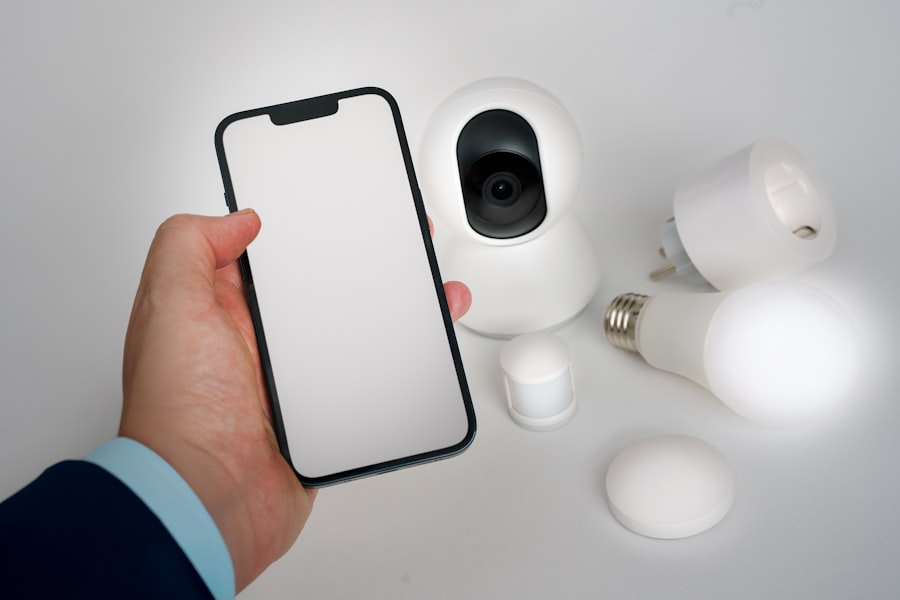
Staying motivated while using a productivity app can be challenging, especially when distractions abound. One effective approach is to incorporate gamification elements into your routine. Many productivity apps offer rewards or points systems for completing tasks, which can add an element of fun and competition to your workflow.
You might find that setting small rewards for yourself after completing specific tasks helps maintain your enthusiasm and drive. Additionally, consider using techniques such as the Pomodoro Technique, which involves working in focused bursts followed by short breaks. This method can help you maintain concentration while preventing burnout.
By integrating these strategies into your use of a productivity app, you can create an environment that fosters motivation and focus, ultimately enhancing your overall productivity.
Incorporating Mindfulness and Meditation into Your Productivity Routine
Mindfulness and meditation practices can complement the use of productivity apps by promoting mental clarity and reducing stress. Taking time each day to engage in mindfulness exercises can help ground you in the present moment, making it easier to focus on the tasks at hand. You might consider setting aside just a few minutes each morning or evening for meditation or deep breathing exercises as part of your routine.
Incorporating mindfulness into your productivity app usage can also be beneficial. For instance, before diving into your tasks for the day, take a moment to reflect on your intentions and priorities. This practice can help center your thoughts and create a more focused mindset as you engage with your app.
By blending mindfulness techniques with your productivity efforts, you can cultivate a more balanced approach to managing your responsibilities.
Setting Realistic Goals and Prioritizing Tasks with a Productivity App
Setting realistic goals is crucial for maintaining motivation and preventing feelings of overwhelm when using a productivity app. Start by breaking down larger projects into smaller, actionable steps that feel achievable within a given timeframe. This approach not only makes tasks more manageable but also allows you to celebrate progress along the way.
Prioritization is another key aspect of effective goal-setting. Many productivity apps offer features that allow you to categorize tasks based on urgency or importance. You might find it helpful to use a simple system—such as labeling tasks as “high,” “medium,” or “low” priority—to guide your focus throughout the day.
By establishing clear priorities within your app, you can direct your energy toward what truly matters and avoid getting sidetracked by less critical tasks.
Utilizing Time Management Techniques with a Productivity App
Time management techniques are essential tools for enhancing productivity, especially for individuals with ADHD. One effective method is time blocking, where you allocate specific blocks of time for different tasks or activities throughout your day. Many productivity apps allow you to schedule these blocks directly within the app, providing visual cues that help keep you on track.
Another valuable technique is setting timers for focused work sessions followed by short breaks—often referred to as the Pomodoro Technique mentioned earlier. By incorporating these time management strategies into your productivity app usage, you can create a structured environment that promotes focus while allowing for necessary breaks to recharge.
Tracking Progress and Celebrating Achievements with a Productivity App
Tracking progress is an essential component of using a productivity app effectively. Many apps offer built-in features that allow you to monitor completed tasks and visualize your accomplishments over time. This tracking not only provides insight into your productivity patterns but also serves as motivation to continue pushing forward.
Celebrating achievements—no matter how small—is equally important in maintaining motivation. Consider setting milestones within your app that trigger rewards or recognition when reached.
Seeking Professional Support and Guidance for ADHD and Productivity Challenges
While productivity apps can be incredibly helpful tools for managing ADHD-related challenges, seeking professional support is equally important. A mental health professional or coach specializing in ADHD can provide personalized strategies tailored to your unique needs and circumstances. They can help you identify underlying issues contributing to productivity challenges and work with you to develop effective coping mechanisms.
Additionally, support groups or online communities focused on ADHD can offer valuable insights and encouragement from others who share similar experiences. Engaging with these resources can provide a sense of belonging and understanding as you navigate the complexities of managing ADHD in relation to productivity challenges. By combining professional guidance with the use of productivity apps, you can create a comprehensive approach that empowers you to thrive in both personal and professional realms.
If you’re exploring ways to enhance productivity, especially for those with ADHD, you might find it beneficial to read more about the best productivity apps tailored for ADHD. A related article that delves into this topic can be found on Productive Patty’s website. This article provides insights into various apps designed to help individuals with ADHD manage their tasks more effectively. For more detailed information, you can check out the article by visiting Productive Patty.
Reclaim 70% Mental Energy with THIS Hack
FAQs
What is ADHD?
ADHD stands for Attention Deficit Hyperactivity Disorder, which is a neurodevelopmental disorder that affects both children and adults. It is characterized by difficulties with attention, hyperactivity, and impulsivity.
What are productivity apps for ADHD?
Productivity apps for ADHD are designed to help individuals with ADHD manage their time, tasks, and priorities more effectively. These apps often include features such as task lists, reminders, time tracking, and organization tools.
What are the key features to look for in a productivity app for ADHD?
Key features to look for in a productivity app for ADHD include task management, reminders, calendar integration, goal setting, time tracking, and organization tools. These features can help individuals with ADHD stay focused, organized, and on track with their daily activities.
How can a productivity app help individuals with ADHD?
A productivity app can help individuals with ADHD by providing structure, reminders, and organization tools to help them manage their time and tasks more effectively. These apps can also help individuals break down larger tasks into smaller, more manageable steps, and provide visual cues to help them stay on track.
What are some popular productivity apps for ADHD?
Some popular productivity apps for ADHD include Todoist, Trello, Evernote, Asana, and Any.do. These apps offer a range of features to help individuals with ADHD stay organized and focused on their tasks and priorities.